Muse Image for Facebook Ads: What Works Today, Prompts, and How It Compares
Meta's Muse Image is free to prompt in the Meta AI app today, but it is not in Ads Manager yet and has no API. What advertisers actually get, when Advantage+ access lands, 12 copy-paste product-ad prompts, and an honest Muse vs nano banana comparison from a team that runs nano banana in production.
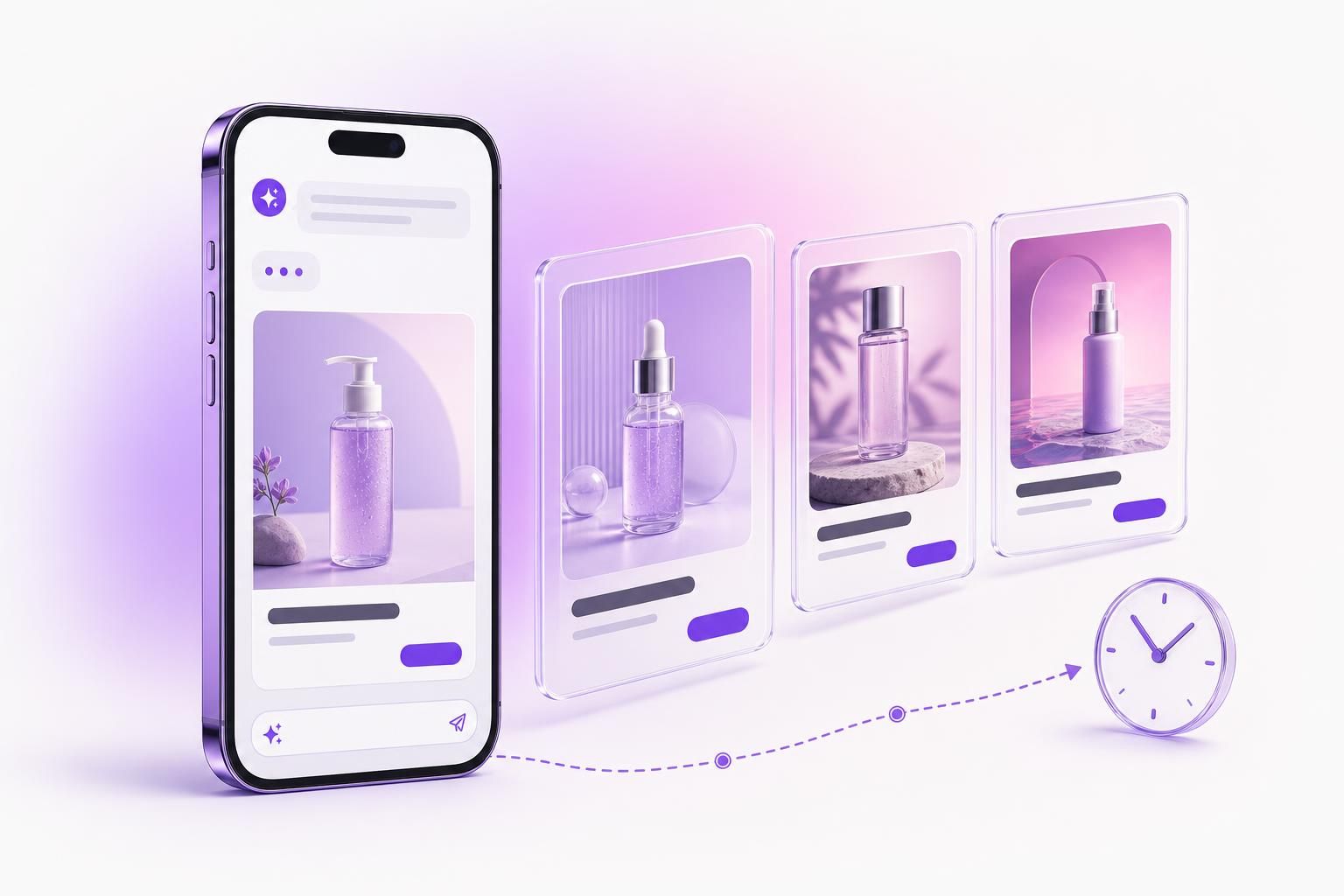
Meta's Muse Image launched July 7, 2026, and you can prompt it free in the Meta AI app right now. What you cannot do is use it inside Ads Manager (the Advantage+ rollout is "in the coming weeks") or call it from an API, and that gap decides how you actually work with it this month.
Access reality: free today at meta.ai, in the Meta AI app, Instagram Stories, and WhatsApp (US-first). Not in Advantage+ creative yet. No public API, so no automation and no third-party tools. Everything below follows from those three facts.
What Muse Image Is (and Why Meta Calls It Agentic)
Muse Image (codename Mango) is the first image model from Meta Superintelligence Labs, the division under Alexandr Wang, following the Muse Spark LLM from April. A Muse Video model was previewed the same day but has not shipped. The relevant part for ad work is the architecture: Meta describes Muse as agentic, meaning it invokes search and coding tools during generation, checks its own output, and spends extra compute refining it rather than sampling once and stopping.
Concretely, that buys three things advertisers care about. In-image text comes out legible and correctly spelled across multi-line layouts, which is where most image models still fumble headlines and badges. It can write and execute code, so QR codes scan and charts plot real values. And it can search the web to ground an image in factual detail; Meta's figure is that search grounding lifted entity-rendering accuracy from 29.8% to 70.2%.
Editing follows the same conversational pattern as recent models: region edits instead of full regenerations, multi-image blending, and sketch editing, where you circle or annotate directly on the photo to mark what changes. Every output carries Content Seal, Meta's invisible watermark that survives cropping, compression, and screenshots, with a public detector at meta.ai/identification.
Pricing: free for everyday creation, with a paid Meta subscription lifting the limits once you pass a quota. Meta has not published tier names, prices, or per-image caps, and says limits can vary by surface and location. Budget nothing until those numbers exist.
Where You Can Use It Today, and Where You Can't
Live now, US-first and free: the Meta AI app, meta.ai on the web, Instagram Stories (30+ new AI effects), and WhatsApp in limited countries. Facebook and Messenger are "coming soon." The two that matter for this audience are both absent: Advantage+ creative in Ads Manager is "in the coming weeks" from the July 7 announcement, and there is no public API at all. Not on OpenRouter, not integratable by any third-party ad tool, ours included.
So the only Muse workflow that exists today is manual. It still produces usable ad creative:
- Open meta.ai or the Meta AI app and write a brief-style prompt, including the exact headline, CTA, and badge text you want rendered in the image. Meta's own guidance is that Muse reads complex briefs like a designer, not keyword lists.
- Refine conversationally or sketch on the image to mark regions: swap the background, fix the label, relight the scene.
- Download the result. Content Seal comes with it, and AI-modified creative gets Meta's disclosure treatment either way.
- Upload to Ads Manager as normal creative. Meta has not published Muse's native resolutions or ratio list, so check what it exports against the Meta placement specs (1080 x 1350 at 4:5 for feed, 1080 x 1920 at 9:16 for Stories) before you traffic it.
What Advertisers Get in Advantage+ (In the Coming Weeks)
Meta's description of the advertiser rollout: Muse will generate diverse lifestyle visuals, new backgrounds for product images, and static creatives from videos while maintaining brand identity, plus on-brand ad variations with fewer iterations by adjusting elements and swapping styles based on your existing creative. Advantage+ already had generative features before Muse (background generation, image touch-up and expansion, text overlays, related-media variants); the change is the model behind them, and Meta has not said whether Muse replaces or sits alongside the old stack.
The scale explains the push: Advantage+ reportedly runs at about a $60 billion annualized revenue rate, and millions of advertisers already use Meta's generative tools. Unknowns Meta has not detailed: how many variations you get per brief, where the control sits in the Ads Manager UI, and the exact arrival date. The June AI-variation horror stories all came from the pre-Muse stack, so the honest position is to re-run your enhancement tests when it hits your account rather than assume either outcome. The full June-July changelog is in our Meta ads July 2026 updates.
12 Muse Image Prompts for Product Ads
These are written as designer-style creative briefs, which is how Meta says to prompt Muse. They run in the Meta AI app today and are ready for Advantage+ when it reaches your account. They are also model-agnostic product-ad patterns, so the same text works on nano banana and GPT Image; Muse is two days old and nobody, us included, has tested it at production scale. The "Muse strength" tag marks where a confirmed Muse capability (legible text, region edits, sketch input) should help most.
The rendered examples below were generated with AdMakeAI's production pipeline, not Muse; there is no API to script it. They show what each filled-in prompt produces on a model you can actually automate today.
1. Hero product shot
Any modelStudio product photograph of [PRODUCT] centered on a seamless [COLOR] backdrop, soft top-left key light, subtle reflection beneath. Add a bold headline at the top: '[HEADLINE]' and a rounded CTA button at the bottom: '[CTA]'. Small brand badge '[BRAND]' in a top corner. One product, clean, high contrast, ad-ready.
When: The default packshot ad. Start every new SKU here.
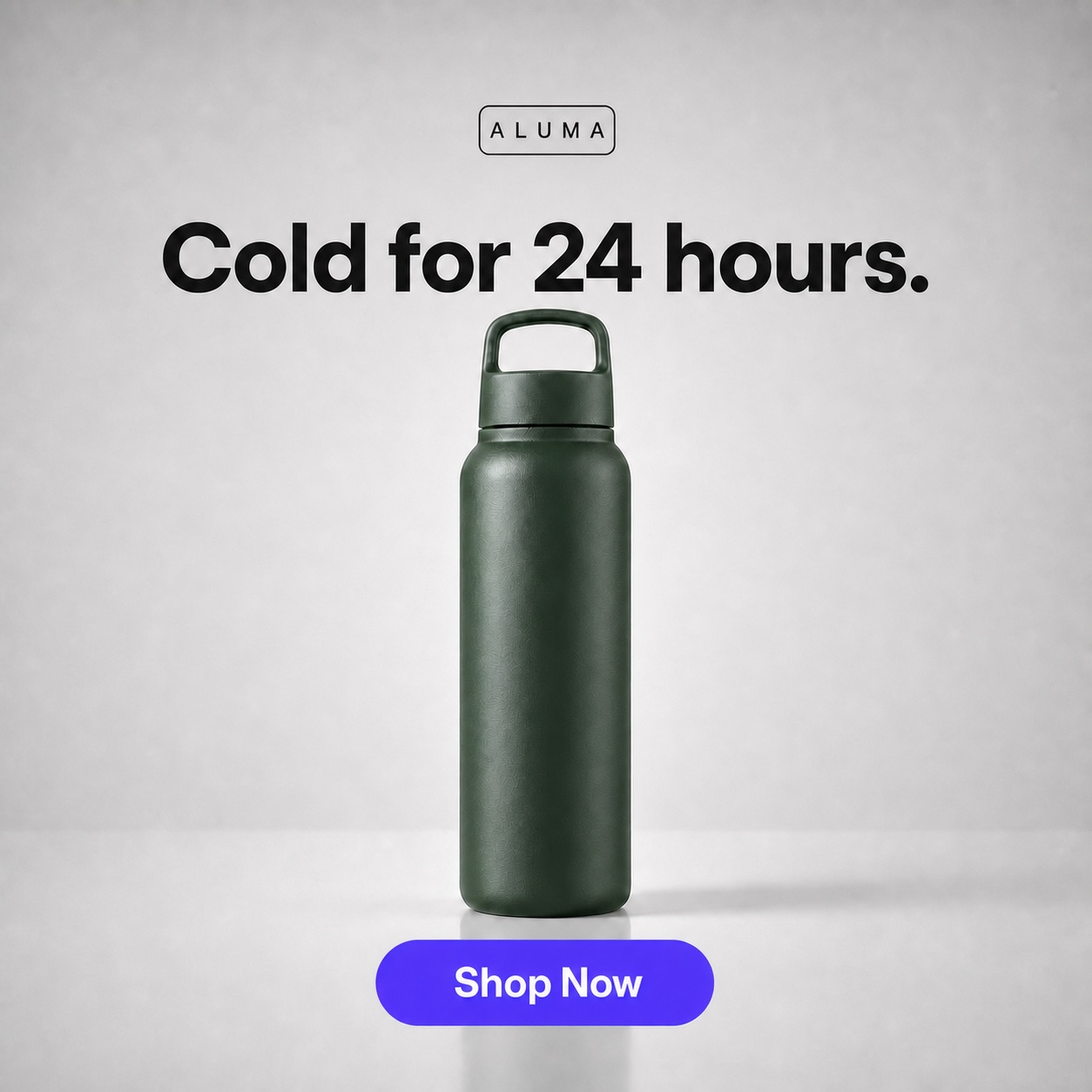
This prompt with the placeholders filled: a green insulated bottle, headline 'Cold for 24 hours.', CTA 'Shop Now', badge 'ALUMA'. Generated with AdMakeAI's production pipeline, not Muse; Muse output will differ.
2. Lifestyle context
Any model[PRODUCT] in use by a person in a bright modern [SETTING], natural window light, shallow depth of field, product in sharp focus. Overlay a short headline '[HEADLINE]' in the upper third and a CTA '[CTA]'. One focal point, warm and aspirational.
When: Cold audiences that need to see the product in real life.
3. Background swap, same product
Muse strengthKeep this exact product unchanged. Replace the background with [NEW SCENE] and match lighting and shadows to the product. Add headline '[HEADLINE]' and CTA '[CTA]'.
When: One packshot, five seasonal variants. Upload your product photo first and sketch over what must stay; region editing plus brief reasoning is where Muse is supposed to earn its keep.
4. Seasonal refresh
Any model[PRODUCT] on a sunlit outdoor table with soft summer greenery bokeh, golden-hour light, fresh feel. Headline '[SUMMER HEADLINE]', CTA '[CTA]', small badge 'Summer [YEAR]'. One clear focal point.
When: Seasonal creative without a photoshoot. Swap the scene words for Q4.
5. UGC-style phone shot
Any modelCasual smartphone-style photo of [PRODUCT] held in a hand in a real home, slightly imperfect lighting, authentic not polished. Add a native-looking caption headline '[HEADLINE]' and a CTA '[CTA]'. Feels like a real customer post.
When: Feed-native ads that do not read as ads until the CTA.
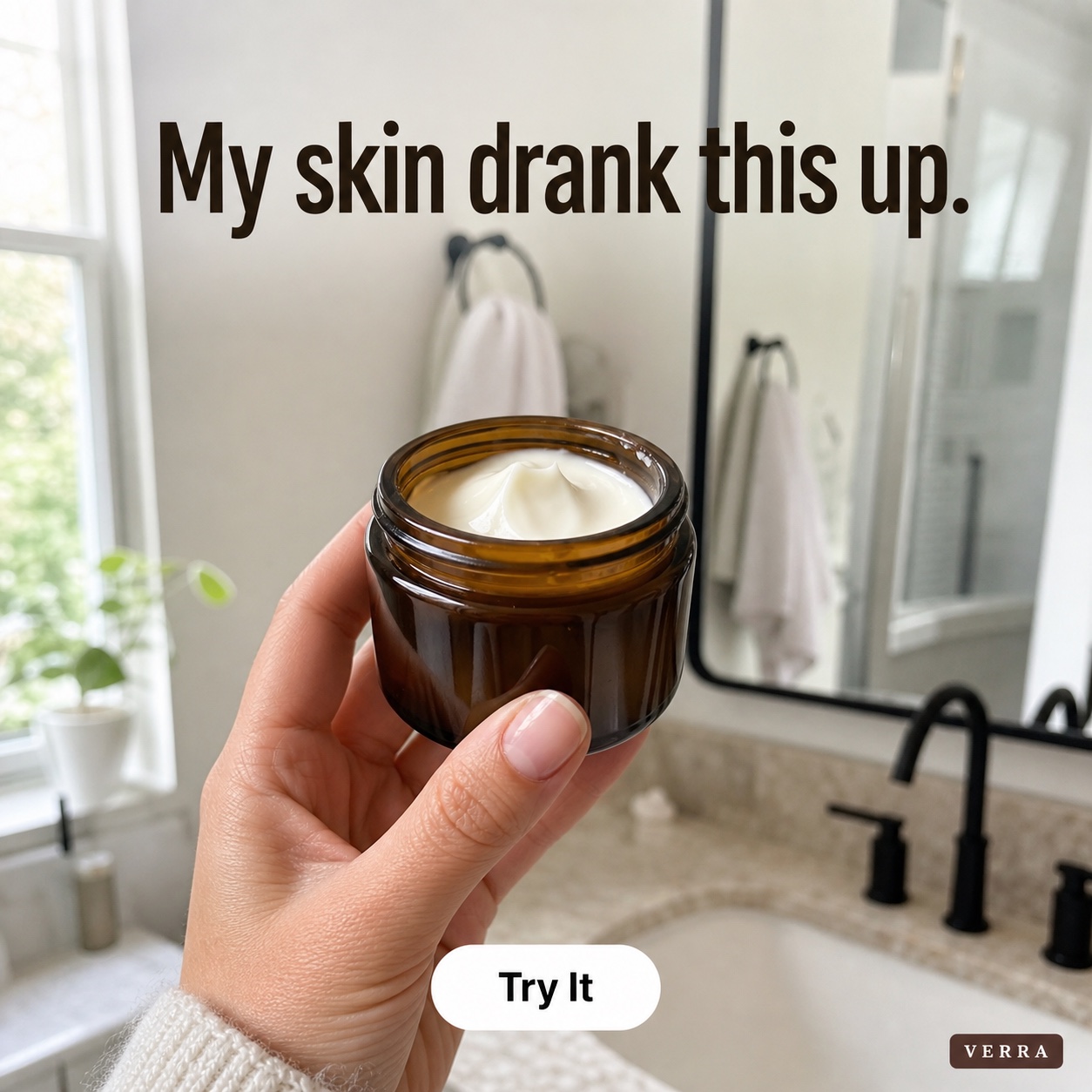
The UGC prompt filled in: a face cream jar in hand, headline 'My skin drank this up.', CTA 'Try It', badge 'VERRA'. Generated with AdMakeAI's production pipeline, not Muse.
6. Before / after split
Muse strengthSplit composition: left half labeled 'Before' shows [PROBLEM STATE], right half labeled 'After' shows [RESULT WITH PRODUCT]. Clear divider, consistent framing on both sides. Headline at the top '[HEADLINE]', CTA at the bottom '[CTA]'.
When: Results products: skincare, cleaning, fitness. Muse's confirmed text rendering keeps the Before and After labels crisp.
7. Bundle flat-lay
Any modelFlat-lay of [PRODUCTS IN BUNDLE] arranged neatly on a [COLOR] surface, even soft light, top-down. Headline 'The [BUNDLE NAME]', price badge '[PRICE]', CTA 'Get the Bundle'. One balanced group as the focal point.
When: Bundle and value offers where the count is the pitch.
8. Feature callouts
Muse strength[PRODUCT] centered with three short feature callouts around it, each connected by a thin leader line, plain text only: '[FEATURE 1]', '[FEATURE 2]', '[FEATURE 3]'. Headline '[HEADLINE]', CTA '[CTA]'. Clean infographic ad style, sharp legible text.
When: Benefit-led ads for supplements, skincare, and tech. Small legible labels are exactly what Muse's text rendering is built for.
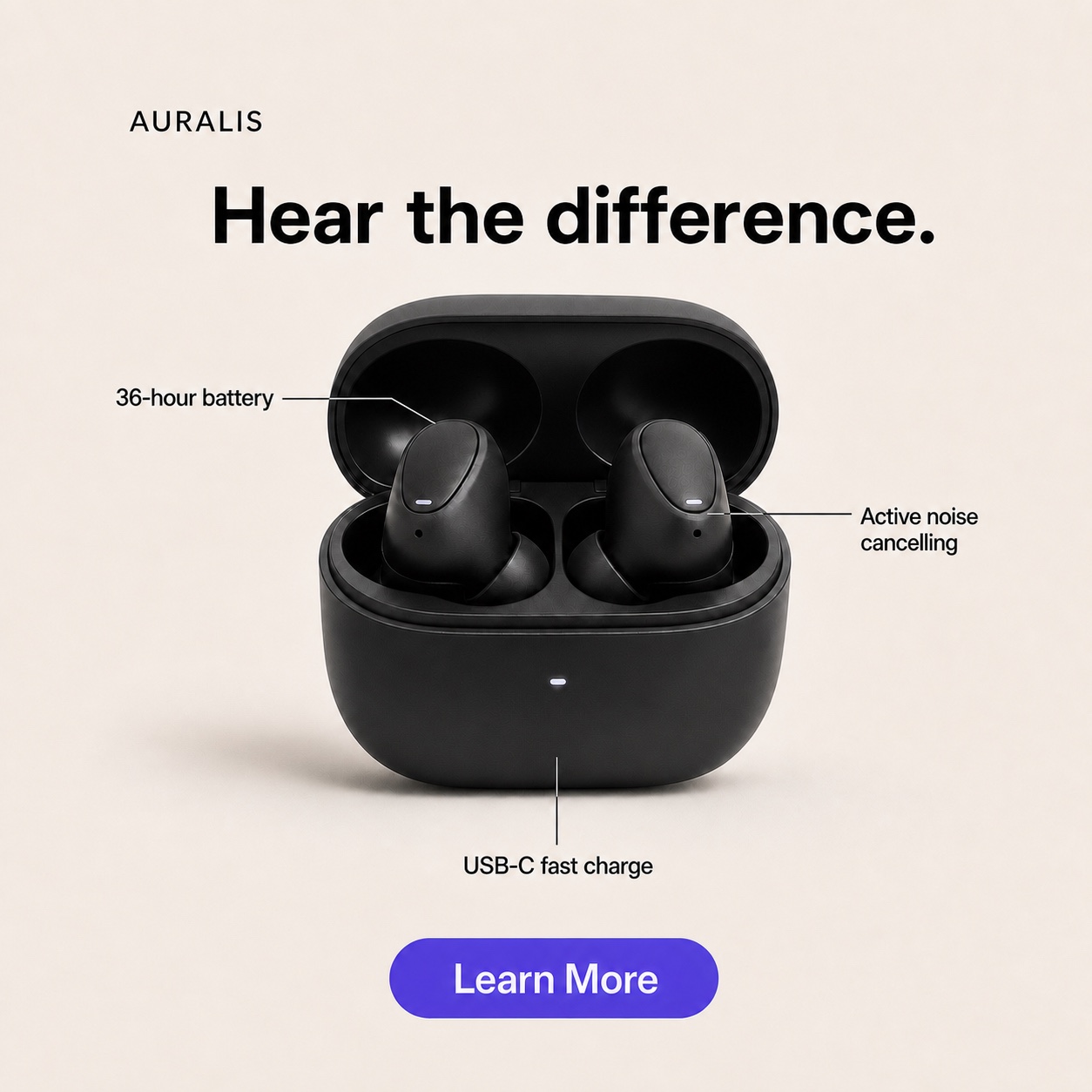
The callout prompt filled in for earbuds: three spec labels, headline 'Hear the difference.', CTA 'Learn More', badge 'AURALIS'. Generated with AdMakeAI's production pipeline, not Muse.
9. Color variant grid
Any modelThe same [PRODUCT] shown in [N] colorways in a neat grid, identical lighting and angle in every cell. Headline 'Now in [N] Colors', CTA 'Pick Yours'. Consistent, catalog-clean.
When: Variant launches and catalog refreshes.
10. Social proof
Muse strength[PRODUCT] hero shot with a clean five-star rating graphic and a short quote '[SHORT REVIEW]' rendered legibly beside it. Headline '[HEADLINE]', CTA '[CTA]'.
When: Retargeting and consideration stages. Pull the quote from a real review, not an invented one.
11. Urgency offer
Any model[PRODUCT] with a bold offer badge '[XX% OFF]' and a small 'Ends [DAY]' tag, energetic accent color, clean background. Headline '[OFFER HEADLINE]', CTA 'Claim Offer'. The offer is the focal point.
When: Promo and sale pushes with a real end date.
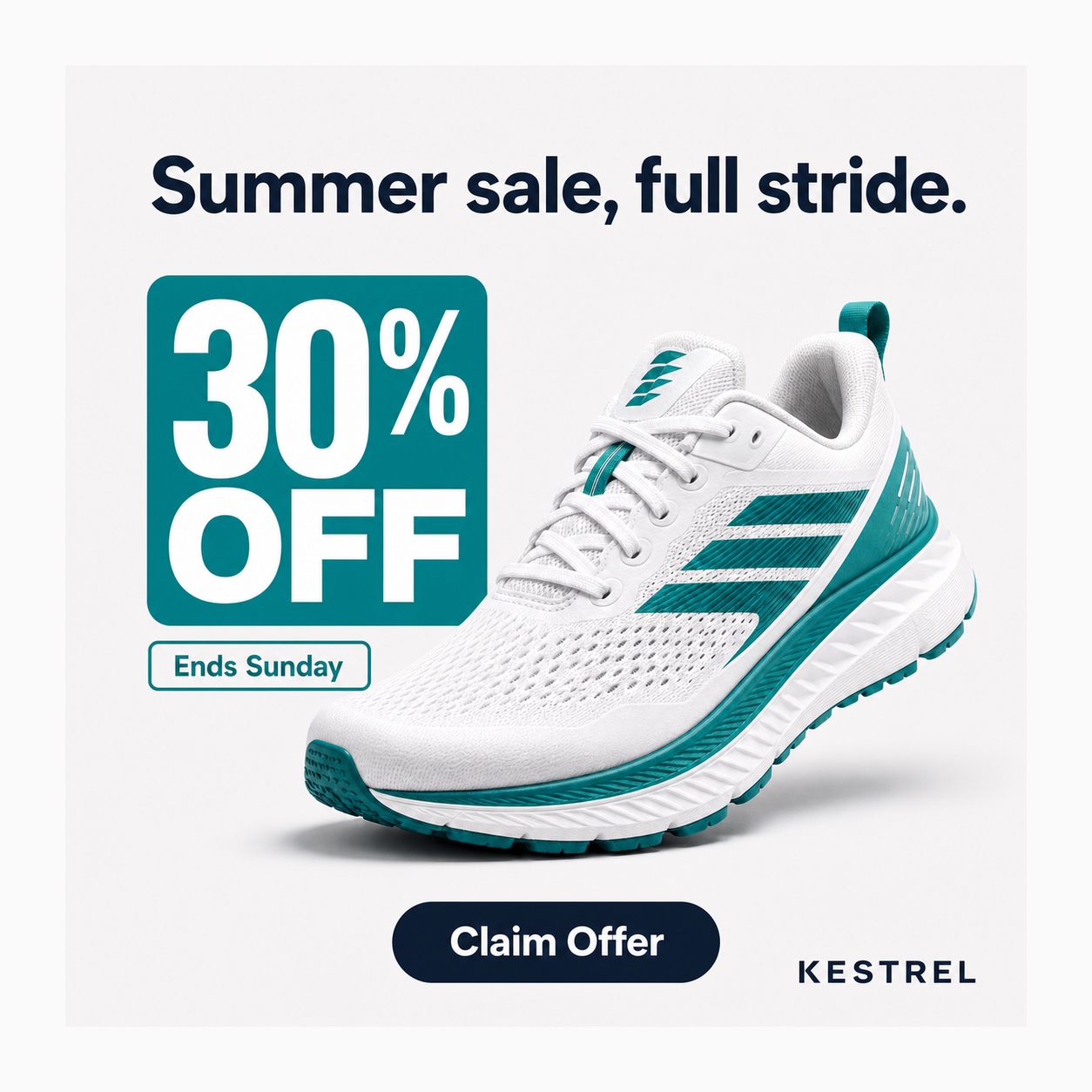
The urgency prompt filled in: a running sneaker, badge '30% OFF', tag 'Ends Sunday', CTA 'Claim Offer', brand 'KESTREL'. Generated with AdMakeAI's production pipeline, not Muse.
12. Scene relight
Muse strengthTake this product photo and relight it as [MOOD: warm evening, crisp studio, moody dark]. Keep the product identical; change only the lighting and background tone. Add headline '[HEADLINE]' and CTA '[CTA]'.
When: A/B testing mood without new shoots. Upload the photo and refine conversationally; iterative self-refinement is the intended Muse workflow here.
Two rules turn any of these into a finished ad instead of a lifestyle photo. Bake the text layer into the prompt (headline, CTA, badge) so the model renders it in-image, and hold the line at one idea with one focal point and at most two or three elements. Generate at the placement ratio you plan to buy, not whatever the model defaults to. For the retargeting prompts, the quote-mining method in our Amazon reviews ad hooks guide supplies real review lines to render.
PromptAd-readyMuse reaches Ads Manager in weeks. This works today.
AdMakeAI runs the nano banana pipeline in production: paste any prompt above, get ad-ready creative at any placement ratio, and batch variations instead of prompting one at a time.
Muse Image vs Nano Banana
If you need ad images this week, use nano banana; if your whole workflow lives inside Advantage+ and can wait, wait for Muse; once Muse lands, run both and let the results pick. We run nano banana in production (Google's Gemini 3 Pro Image for generation, Gemini 3.1 Flash Image for editing, via the FAL API), so the nano banana column below is first-hand and the Muse column is Meta's published claims plus early reports.
| Dimension | Muse Image | Nano banana |
|---|---|---|
| Maker / base | Meta Superintelligence Labs, agentic (search + code tools) | Google; Gemini 3 Pro Image (generate), Gemini 3.1 Flash Image (edit) |
| Available today | Meta AI app, meta.ai, IG Stories, WhatsApp (US-first, free); Ads Manager "coming weeks" | Live via FAL API; in AdMakeAI now |
| API access | None; Meta surfaces only | Public API (FAL SDK, JS and Python), pay-per-image |
| Ads Manager integration | Native Advantage+ creative, once live | Generate then upload; scriptable end to end |
| Editing control | Region edits, sketch/annotate input, multi-image blend, self-refinement | Maskless natural-language edits, up to 14 reference images, 1-4 variants per request |
| Text rendering | Strong; code-accurate QR codes and charts | Strong; multilingual, character-by-character |
| Resolution / ratios | Not published by Meta | 1K / 2K / 4K; ratio list includes 1:1, 4:5, 9:16, 16:9 |
| Speed | Not published | 5-10 seconds per edit |
| Cost | Free in-app; paid Meta subscription past a quota, limits unpublished | Pay-per-image, no subscription or minimums |
| Provenance | Content Seal invisible watermark on every output | Standard output; disclosure handled at the ad level |
On quality, keep the benchmark honest. LM Arena's human-preference leaderboard (as of July 5, 2026) has Muse at #2 across text-to-image and both editing categories at roughly 1280 Elo, about 9 points ahead of nano banana near 1271 and about 105 points behind GPT Image 2 near 1385, which translates to GPT Image 2 winning roughly 64% of head-to-head comparisons. That is a near-tie for second, not a new leader. Meta's internal benchmarks claim Muse beats Nano Banana 2 on single- and multi-image editing, though Meta's own blog names no competitors; the framing comes from secondary coverage. Pointing the other way, early Hacker News testers rank Muse a step below both nano banana and GPT Image in practice, with uncanny-valley notes on some outputs. Two days in, treat quality as roughly a wash and access as the real difference.
Where each wins. Muse: zero export friction once it is native in Advantage+, free inside Meta's apps, built-in provenance, and Meta's distribution behind it. The catch: images made with Meta's ad creative AI may only be used on Meta's platforms; here is how free AI ad generators compare on usage rights. Nano banana: available right now, a real API for automation and scale, published specs you can plan around, and mature edit control. Text rendering is not a differentiator; both are strong, and treating it as a Muse-only edge is the most common error in the launch coverage.
Muse Image FAQ
Don't wait for the rollout.
AdMakeAI generates ad-ready creative with the nano banana pipeline today: any ratio, batch variations, headline and CTA rendered in-image. Free credits, no card.
Related Resources
Meta Ads Updates: July 2026
The full changelog Muse launched into: AI labels, location fees, Push Delivery, and more.
How to Create Facebook Ads With AI
The production workflow behind the example images in this post.
Facebook Ad Image Sizes in 2026
The placement specs to check Muse exports against before uploading.
AI Product Photography Guide
Deeper prompt patterns for packshots and lifestyle scenes.
Make your next ad from what already runs
Research what competitors are running, then generate your own on-brand ads in minutes.