Instagram Story Size in 2026: Exact Dimensions, Ratio and Specs for Every Placement
The Instagram story size is 1080 x 1920 pixels at 9:16. The full spec sheet for organic stories, Story ads, and Reels: accepted ratios, image and video formats, file limits, video length caps, and what happens when you upload the wrong ratio.
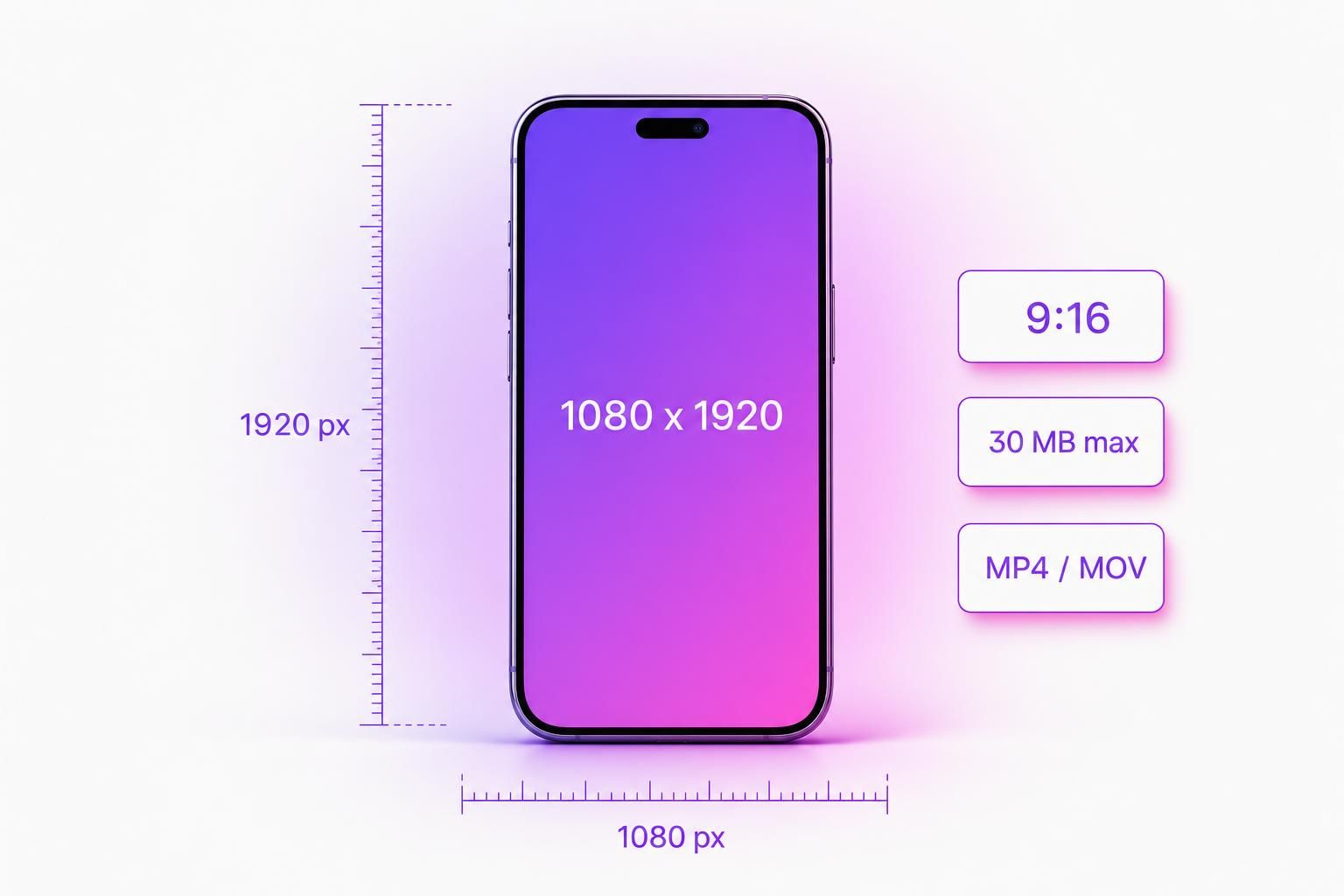
The Instagram story size is 1080 x 1920 pixels at a 9:16 aspect ratio, and the same spec covers organic stories, Story ads, and Reels. Instagram accepts 1.91:1 through 9:16, but only true 9:16 fills the screen with no cropping and no blurred bars.
Quick answer: export at 1080 x 1920 px (9:16). JPG or PNG for images, 30 MB max. MP4 or MOV for video, 4 GB max, up to 60 seconds per story card. For Story ads on Pro Max and Ultra screens, export 1440 x 2560.
 1:1
1:1
Creative stuck in 1:1? Ship it in 9:16.
The free Meta Ad Resizer extended this exact square ad into the story frame: no cropping, subject and text intact. About 20 seconds per format.
Instagram Story Size at a Glance
Every number below is checked against Meta's design requirements for Instagram Stories ads and Buffer's Instagram image size guide, July 2026. If the spec guide you found ranks for 2024, close it; the video rules changed.
- Resolution: 1080 x 1920 px (width x height)
- Aspect ratio: 9:16, with 1.91:1 to 9:16 accepted
- Images: JPG or PNG, 30 MB max
- Video: MP4 or MOV, H.264 + AAC, 4 GB max
- Video length: up to 60 seconds per card; longer uploads auto-split into consecutive cards
Instagram Story Dimensions in Pixels
Oversizing is safe: Instagram downscales a 2160 x 3840 file cleanly. Undersizing is where quality dies. 720 x 1280 and 900 x 1600 are valid 9:16 files that upload without complaint, then get stretched across screens that render far more than 1080 logical pixels and ship soft. Nothing below 1080 wide should leave your export dialog; against a 30 MB cap the file size difference is noise.
Instagram Story Ratio: 9:16, Accepted Range 1.91:1 to 9:16
Instagram accepts the full 1.91:1 to 9:16 range it uses across feed formats, but accepted is not full-screen. A 1.91:1 upload posts as a strip in the middle of the frame with blurred filler above and below. 9:16 is the only ratio that maps one-to-one onto the story canvas; everything else gets padded, scaled, or cropped.
Specs by Placement: Organic Story vs Story Ad vs Reel
Three placements share the 1080 x 1920 canvas and differ on minimums, formats, and length caps.
Same 9:16 canvas across all three placements; only the limits differ.
| Spec | Organic Story | Story Ad | Reel |
|---|---|---|---|
| Recommended size | 1080 x 1920 | 1080 x 1920 (1440 x 2560 for high-density screens) | 1080 x 1920 |
| Aspect ratio | 9:16 (accepts 1.91:1 to 9:16) | 9:16 | 9:16 |
| Minimum resolution | 1080 wide recommended (720 x 1280 usable) | 600 x 1067 (Meta hard minimum) | 1080 wide recommended |
| Image formats | JPG, PNG | JPG, PNG | JPG, PNG (cover image) |
| Max image file | 30 MB | 30 MB | 30 MB |
| Video formats | MP4, MOV | MP4, MOV, GIF | MP4, MOV |
| Max video file | 4 GB | 4 GB | 4 GB |
| Video length | Up to 60 sec per card, auto-splits after | 1 to 60 sec | Up to 20 min; over 3 min isn't recommended to new audiences (Reels size guide) |
| Safe zone | ~250 px top and bottom | 14% top, 35% bottom, 6% sides | 14% top, 35% bottom, 6% sides |
The 600 x 1067 minimum is an ads-only floor from Meta's Stories ad requirements, there so Ads Manager can reject unusable files, not a target. The 1440 x 2560 recommendation arrived with Meta's March 2026 unified creative update: flagship phones render more than 1080 logical pixels, so a 1080 export gets upscaled at display time and edges soften. 1080 x 1920 is the baseline; 1440 x 2560 is the export that survives a Pro Max screen.
Image Specs: Formats, File Size, and the Ads Minimum
JPG and PNG work across all three placements. Buffer also lists BMP and non-animated GIF for organic uploads; do not test that in paid. The 30 MB cap is enormous for a 1080 x 1920 still; a JPG at 90% quality lands around 1 to 2 MB.
The number stale guides omit: Story ads hard-floor at 600 x 1067. Below that, Ads Manager rejects the file. Between 600 and 1080 wide, it accepts the file and the ad just looks bad. Meta charges the same CPM either way.
Video Specs: The 60-Second Rule, Formats, and File Limits
The most-repeated stale spec is the 15-second story chop. That ended in 2022. A native upload of up to 60 seconds plays as one continuous story card, and anything longer auto-splits into consecutive cards (source: Kapwing). Story ad videos run 1 to 60 seconds per card.
- Formats: MP4 or MOV organic; Story ads also accept GIF
- Codec: H.264 video, AAC audio
- Frame rate: 30 fps
- File cap: 4 GB
Instagram re-encodes every upload, so hand it a source it does not have to fight: 1080 x 1920 at roughly 4 to 8 Mbps. A starved bitrate is the usual reason a story that looked crisp in the editor ships muddy.
The Safe Zone in One Line
Keep critical text and faces out of the top and bottom ~250 pixels on organic stories, and out of the top 14%, bottom 35%, and side 6% on Story and Reels ads. That is the whole rule. To check your creative against the Story safe zone on your own file, drop it into the free checker, which draws the bands at true scale, image or video. For real Story ads checked against this safe zone, see our count of 91 long-running 9:16 image ads. For the full diagram, the per-placement overlay tables, and where Instagram's UI actually covers your design, read our deep dive on Instagram story safe zones.

What Happens If You Upload the Wrong Size or Ratio
Instagram never shows an error for a wrong-ratio upload. It quietly degrades the post, and each ratio fails differently.


The same ad uploaded at three ratios. Only 9:16 uses the whole screen; the bars are what Instagram actually shows.
4:5 (feed portrait, 1080 x 1350): slightly shorter than the story frame, so Instagram scales it up toward 9:16. The image reads enlarged and a touch soft, edge content can slip out of frame, and at native scale it covers about 70% of the canvas (the pixel math, and where else 4:5 gets cropped, is in our 4:5 aspect ratio guide).
1:1 (square, 1080 x 1080): letterboxed with blurred bars above and below, or zoom-cropped to fill on tap. A square covers roughly 56% of the story screen; nearly half of what runs is filler.
Landscape (16:9 or 1.91:1): accepted, since 1.91:1 is the bottom of the range, but it sits as a small strip with large blurred bands. A 16:9 file covers about a third of the screen.
If the square or 4:5 export is the only asset you have, run it through the free Meta Ad Resizer instead of re-exporting from the design file: it rebuilds the missing canvas to a true 1080 x 1920 in about 20 seconds, so none of the three failures above ever renders.
Blur is a separate failure. If a true 9:16 story still looks fuzzy, the source was under 1080 wide or over-compressed before upload; Instagram compresses again on its side and the two lossy passes stack.
How to Resize a Story to 9:16 Without Cropping
Cropping a square or 4:5 asset to 9:16 by hand usually amputates the subject, the headline, or both, which is why so many wrong-ratio stories ship with blurred bars. The free Meta Ad Resizer skips the tradeoff: upload the creative, pick Stories and Reels, and it extends the background to fill the vertical frame while the subject and text stay intact. About 20 seconds per format, with an instruction field for layout calls like "leave space on the left for a headline".
Skip the resize step entirely.
AdMakeAI's Create Ad generates story creatives at 9:16 natively, with text and product framing inside the safe zone. Free credits, no card.
The Copy-Paste Cheat Sheet
Everything on this page in one block, ready for the creative brief or design ticket.
INSTAGRAM STORY SIZE CHEAT SHEET
Size: 1080 x 1920 px
Ratio: 9:16 (accepts 1.91:1 to 9:16)
Image: JPG or PNG, max 30 MB
Video: MP4 or MOV (H.264 + AAC), max 4 GB, 30 fps
Video length: up to 60 sec per card organic, 1 to 60 sec for ads
Story ad minimum: 600 x 1067 px
High-density Story ad export: 1440 x 2560 px
Safe zone: ~250 px top and bottom organic; 14% top, 35% bottom, 6% sides for ads
And if the asset attached to that ticket is still square or 4:5, run it through the free Meta Ad Resizer before it goes anywhere near Ads Manager.
Instagram Story Size FAQ
What size is an Instagram story?
1080 x 1920 pixels at 9:16. Same recommended size for organic stories, Story ads, and Reels.
What is the Instagram story aspect ratio?
9:16. Instagram accepts 1.91:1 to 9:16, but only 9:16 fills the screen without cropping or bars.
Is an Instagram story 9:16?
Yes. 1080 x 1920 is the recommended export and 9:16 is the only ratio that fills the screen edge to edge.
What are the dimensions of an Instagram story in pixels?
1080 wide by 1920 tall. 720 x 1280 uploads fine and renders soft on modern screens; treat 1080 wide as the export floor.
What is the minimum size for an Instagram story?
600 x 1067 for Story ads; Ads Manager rejects anything below it. Organic has no published floor, but anything under 1080 wide gets upscaled and blurry, so 1080 x 1920 is the working minimum.
Why does my Instagram story look blurry?
The source was under 1080 wide, or over-compressed before upload. Instagram re-compresses on its side, so export at exactly 1080 x 1920 as JPG or PNG and hand it the cleanest file you can.
Why does Instagram crop my story?
The upload is not 9:16. Instagram zoom-crops 4:5, 1:1, and landscape files to fill the frame, or pads them with blurred bars, depending on the file and placement.
What happens if I upload a square (1:1) image to a story?
Letterboxed with blurred bars above and below, or zoom-cropped to fill on tap. Either way close to half the screen is filler. Resize to 9:16 first.
What happens if I upload a 4:5 photo to a story?
Instagram scales it up toward 9:16, so it renders enlarged and slightly soft. At native scale a 4:5 file covers about 70% of the story canvas.
How long can an Instagram story video be?
60 seconds plays as one continuous story card; longer uploads auto-split into consecutive cards. Story ad videos run 1 to 60 seconds.
What file formats does an Instagram story support?
Images: JPG and PNG, 30 MB max. Video: MP4 and MOV with H.264 video and AAC audio, 4 GB max. Story ads also accept GIF as a video format.
How do I resize an image for an Instagram story without cropping?
Get it to a true 9:16 canvas before upload instead of letting Instagram crop it. AdMakeAI's free Meta Ad Resizer reframes square, 4:5, and landscape creatives to the Stories format by extending the background, so the subject and text stay intact.
Ship Every Story at 1080 x 1920 the First Time
Generate story-native 9:16 creative, or resize the ads you already have without cropping. Free credits, no card.
Related Resources
Instagram Story Safe Zones
Where Instagram's UI covers your design, with the full safe-zone diagram and per-placement overlay tables.
Vertical Video Dimensions 2026
The 9:16 spec across TikTok, Reels, and Shorts in one place.
Facebook Ad Image Sizes 2026
The full image spec sheet for every Facebook placement.
Facebook Video Ad Sizes 2026
Resolution, length, bitrate, and codec specs for every Facebook video ad placement.
Make your next ad from what already runs
Research what competitors are running, then generate your own on-brand ads in minutes.