Top 5 AI Product Photography Tools in 2026: Complete Comparison Guide
Looking for the best AI product photography tool? We tested AdMakeAI, Photoroom, Flair AI, Pebblely, and CreatorKit. Compare features, pricing, and real user opinions.
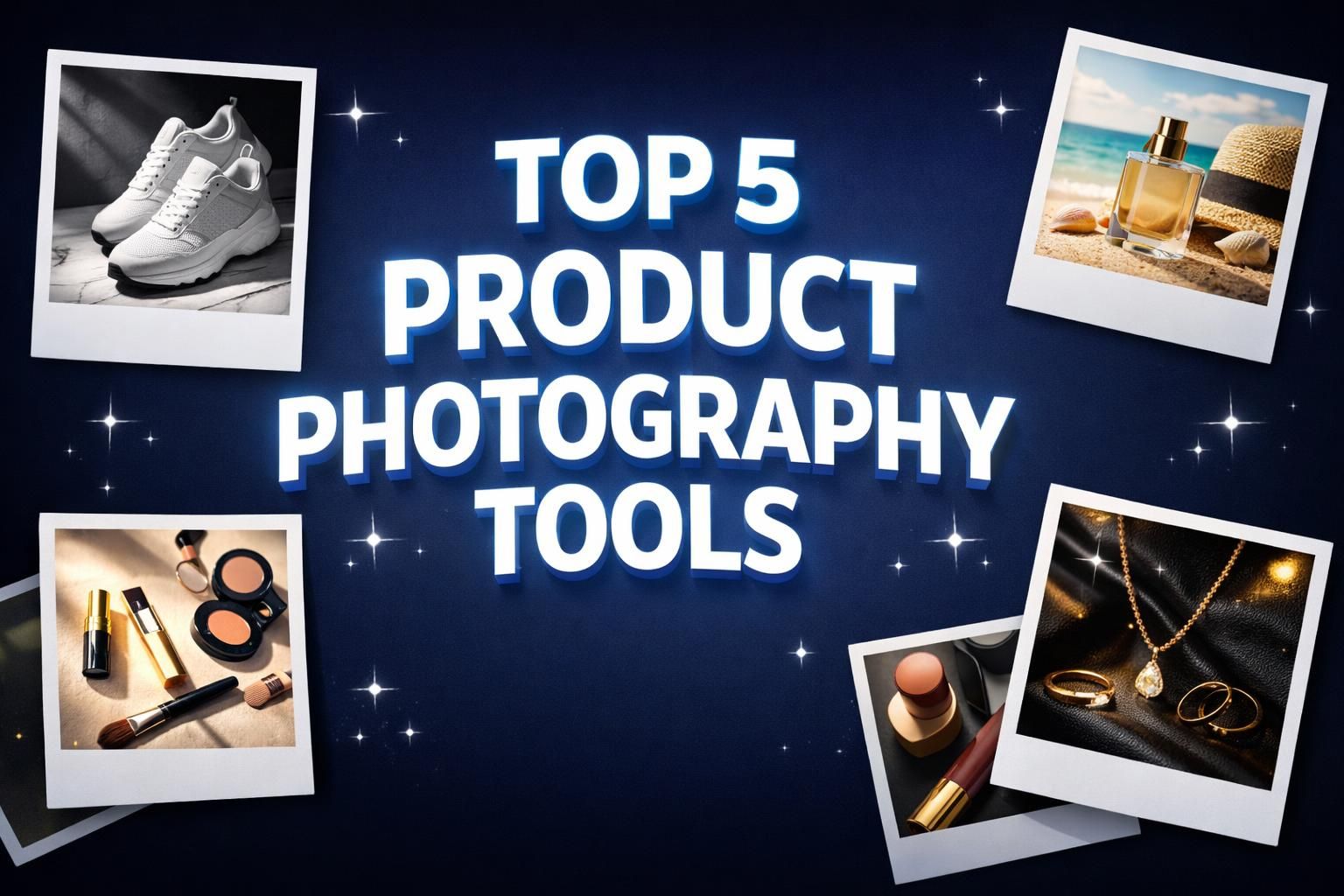
Every tool in this guide promises studio-quality product shots without a camera. Run the same packshot through all five and you get five very different outcomes, and only one of them hands you an ad you can actually upload. We spent 60+ hours running real products through AdMakeAI, Photoroom, Flair AI, Pebblely, and CreatorKit to see which ones produce usable images and which ones burn your free credits before you get one.
Quick Answer: For complete product ad creation (not just background swaps), try AdMakeAI. For pure background removal on mobile: Photoroom. For creative scene design: Flair AI. For beginners on a budget: Pebblely.
Important Reality Check
Every tool here can produce a clean background or a lifestyle scene, and every one of them chokes on the same product types: reflective surfaces like jewelry and glassware, textured materials like fabric folds and fur, and anything where fine detail carries the sale. None of them hits catalog-ready 100% of the time, AdMakeAI included. What actually separates them is the hit rate per session and whether the tool drops you back into your workflow or leaves you exporting into a second app. That is what we measured.
The 5 Tools at a Glance
| Tool | AdMakeAI | Photoroom | Flair AI | Pebblely | CreatorKit |
|---|---|---|---|---|---|
| Best For | Product ad creation | Mobile e-commerce | Creative designers | Beginners | Video + photo combo |
| Starting Price | 30 free credits | Free (limited) | Free (limited) | Free (40 images) | $29/mo |
| Ad-Ready Output | ✓ With copy + CTA | Photos only | Photos only | Photos only | Basic text overlay |
| Ad Research | ✓ Built-in | ✗ | ✗ | ✗ | ✗ |
1. AdMakeAI: Best Overall for Product Ad Creation
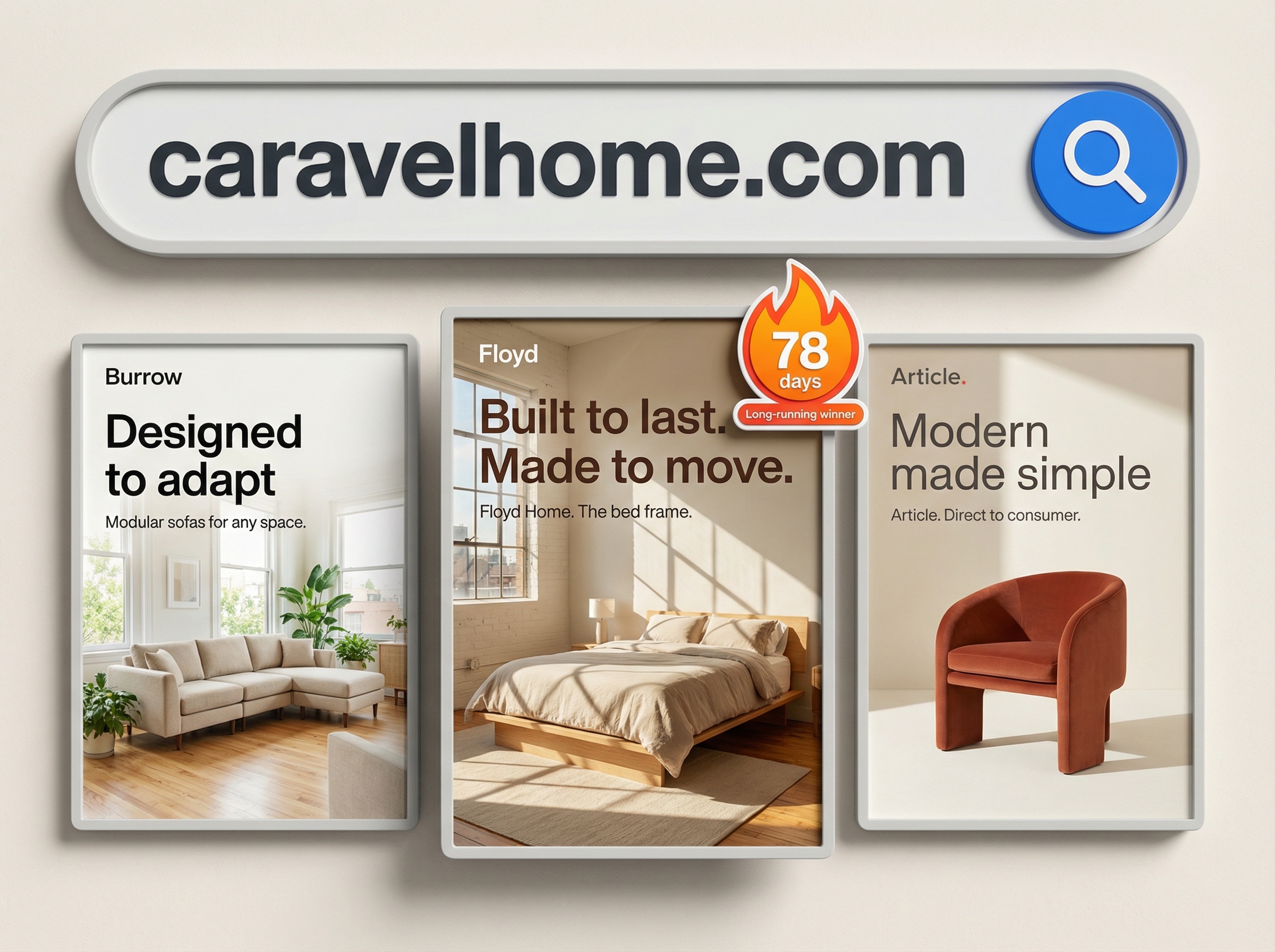
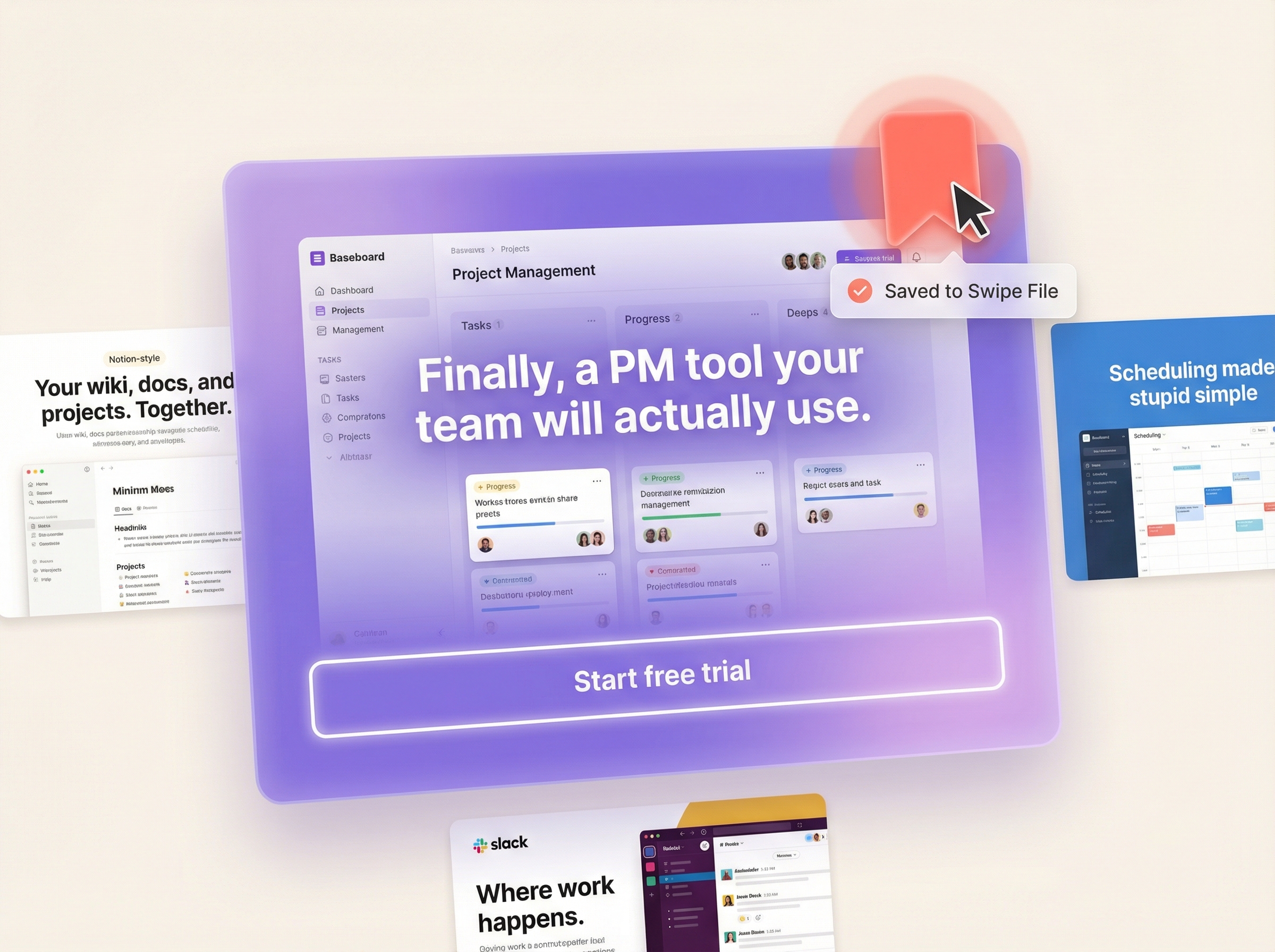
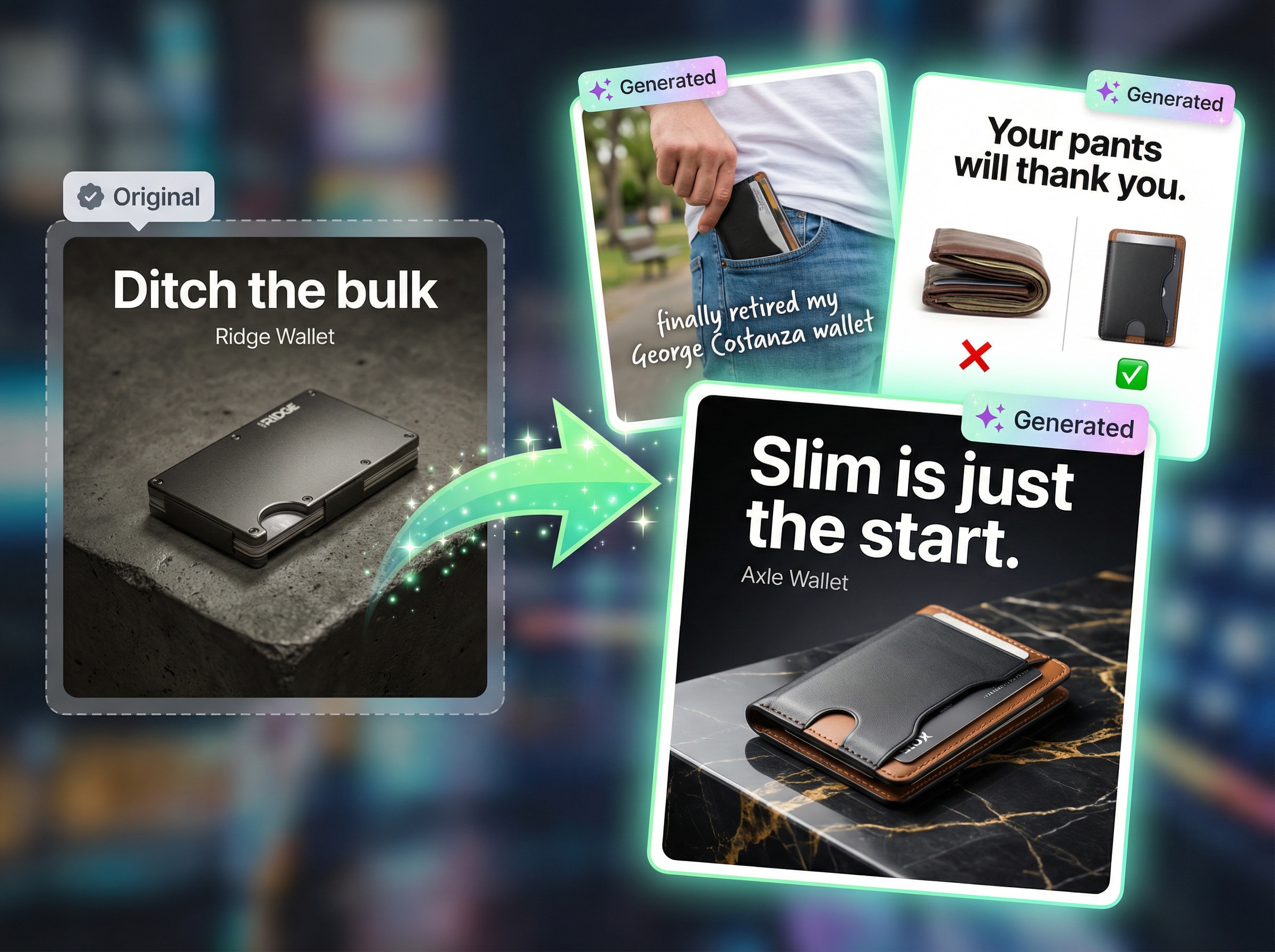
The other four tools on this list stop at a photo. AdMakeAI keeps going and assembles the whole creative. You upload a product image, pick one of 20+ specialized product ad templates, drop in a headline and a CTA, and what comes out is sized and laid out to run on Facebook, Instagram, or Google Shopping. No second pass in Canva to add the words.
It also bundles competitor ad research directly into the workflow. Search the Facebook Ad Library, save the product ads that are clearly being scaled into swipe files, then use those references to plan new ads for your own products with the Create Facebook Ad tool. The Ad Set Studio lets you batch-generate multiple product ad variations at once, and the caption generator handles ad copy so you don't need a separate copywriting tool.
Why AdMakeAI Ranks #1
- Complete ad output, not just photos: The other four tools hand you a product photo. AdMakeAI hands you the ad, copy and CTA and brand elements already baked into the layout.
- Research and create in one place: Pull winning product ads from the Facebook Ad Library, save them to swipe files, and generate your variations without ever opening a second tab
- 20+ product-specific templates: lifestyle scenes, feature callouts, before/after comparisons, and sale banners, each built for product advertising rather than retrofitted from a generic design template
- Batch generation: Ad Set Studio spins up several product ad variations in one run, so an A/B test is one click instead of an afternoon
- Credit-based pricing: the Starter plan is $39/mo for 500 credits, and at 2 to 5 credits per ad that works out to roughly $0.08 to $0.16 per finished creative
Price: 30 free credits (no card required) | Starter $39/mo (500 credits) | Professional $79/mo (1,500 credits) | Business $139/mo (4,000 credits)
2. Photoroom: Best for Mobile E-commerce Sellers
Nobody on this list removes a background as cleanly as Photoroom. Its cutout model holds up where the others smear: flyaway hair, semi transparent edges, the fiddly gap between a handle and a mug. The mobile app is fast and rarely gets in your way, so a reseller can shoot a product on their phone and have a clean listing image before they put the phone down.
The “AI Scenes” feature drops your product into lifestyle backgrounds, batch processing chews through a full catalog in one go, and there is a proper API for teams that want to automate the whole thing. The ceiling is the same one every cutout tool hits: what comes out is a photo. The copy, the CTA, and the branded layout still live in a separate tool you have to open afterward.
What Users Complain About:
- • “I was charged $69.99 after canceling. They refuse to refund me and customer support is non-existent.” Billing disputes are a recurring theme on Trustpilot.
- • “The support team is a chatbot that goes in circles. You literally cannot reach a human.” Several reviewers report the same dead end with no human to escalate to.
- • “Auto-renewal at full price with no warning email” shows up across review sites alongside the billing complaints.
Price: Free plan (watermarked, limited) | Pro $9.99/mo (1,000 exports) | Pro+ $24.99/mo (5,000 exports) | Enterprise $34.99/mo (unlimited)
Key difference: Photoroom stops at the product photo. AdMakeAI turns that photo into a finished ad with copy, CTAs, and brand elements, and adds competitor ad research so you have a reference before you start.
3. Flair AI: Best for Creative Control & Designers
Flair AI is the one tool here that does not hide the canvas. You drag your product onto a board, position it exactly where you want it, and the AI builds the scene around that placement instead of guessing. Designers who care where the shadow falls and how the product sits in frame tend to stick with it for that reason.
The brand kit holds your colors, logo, and style references so scenes come back on-brand instead of generic. For a team shooting dozens of social posts a week, that control pays for itself. The trade-off is real: the canvas takes longer to learn than Pebblely's upload-and-go flow, and consistency slips once a product has an odd shape or a tricky surface, which is where the user complaints below cluster.
What Users Complain About:
- • “They keep raising prices while reducing features. Started at $10/mo, now the plan I need is $55/mo.” Subscription creep is a running gripe among long-term users.
- • “3 out of 5 generations are unusable. The AI just doesn't understand the product shape.” The inconsistency hits hardest on non-standard products.
- • “No batch generation at all. If you have 50 products, you're doing them one by one.” There is no catalog-scale mode, so volume work is slow.
Price: Free trial (limited) | Pro $10/mo (250 generations) | Premium $28/mo (1,500 generations) | Enterprise $55/mo (6,000 generations)
4. Pebblely: Best for Beginners on a Budget
Pebblely is the tool you hand to someone who has never used one. Upload a product, pick a theme like “kitchen counter” or “marble tabletop,” and a scene comes back in seconds. There is no canvas and almost nothing to configure, which is exactly why it suits Etsy sellers and small Shopify stores who took one look at Flair AI and closed the tab.
The free tier hands you 40 images, enough to find out whether AI photography even works for your catalog before you pay anything, and the first paid plan is $19/mo for 1,000 images. The quality is where you feel the price. Scenes often read flat, with lighting that does not quite sit the product on the surface, and you can usually tell it was generated. Pebblely also stays in its lane: backgrounds only, with no overlays, copy, or CTAs.
What Users Complain About:
- • “The outputs look obviously AI-generated. Flat lighting, unrealistic shadows, products look pasted on.” The quality ceiling sits below the rest of the field.
- • “Anything with a reflective surface, glass, metal, glossy packaging, the AI just can't handle it.” Certain product types are simply out of reach.
- • “It's only good for simple products on a flat background. Anything beyond that and you need a real tool.” Complex compositions are not what it is for.
Price: Free (40 images) | Credits+ $19/mo (1,000 images) | Credits++ $39/mo (5,000 images)
5. CreatorKit: Best for Video + Photo Combo
CreatorKit is the only tool here that pairs product photos with AI video. You can generate a still and then animate it into a short product clip, which is the right shape for TikTok Shop or Instagram Reels where a static image gets scrolled past. That combination is the reason to look at it.
The Shopify integration pulls your catalog and can generate photos across every listing in one pass, which saves real time at scale. Background quality is fine on simple products but does not reach Photoroom on cutouts or Flair AI on composition. The video is the draw, and even there it stays entry-level next to a dedicated video editor.
What Users Complain About:
- • “Customer service is completely non-existent. I've sent 5 emails over 3 weeks. Nothing.” Silent support is the single most common complaint.
- • “Images come out blurry and low resolution. I can't use these for product listings.” For some users the output never clears the marketplace resolution bar.
- • “The video feature is buggy. Half the time it fails to render, and there's no way to debug what went wrong.” The video pipeline is where reliability falls apart.
Price: Free plan (limited, watermarked) | Hobby $29/mo | Pro $59/mo | Enterprise $99/mo
Stop Swapping Backgrounds. Start Making Ads.
Most product photography tools give you a nice photo. AdMakeAI gives you the finished ad, copy and CTAs and brand elements included, plus competitor research to point your creative in the right direction.
30 free credits · No credit card required
Feature Comparison
| Feature | AdMakeAI | Photoroom | Flair AI | Pebblely | CreatorKit |
|---|---|---|---|---|---|
| Starting Price | 30 free credits | Free (limited) | Free (limited) | Free (40 images) | $29/mo |
| Background Removal | ✓ | ✓ Best | ✓ | ✓ | ✓ |
| Lifestyle Scenes | ✓ | ✓ | ✓ Best | ✓ | ✓ |
| Ad Copy Integration | ✓ Built-in | ✗ | ✗ | ✗ | Basic |
| Competitor Ad Research | ✓ FB Ad Library | ✗ | ✗ | ✗ | ✗ |
| Copy Winning Ads | ✓ | ✗ | ✗ | ✗ | ✗ |
| Batch Generation | ✓ Ad Set Studio | ✓ | ✗ | Limited | ✓ |
| Video Ads | ✓ UGC + captions | ✗ | ✗ | ✗ | ✓ Basic |
| Mobile App | Web only | ✓ Best | Web only | Web only | Web only |
| Product Ad Templates | ✓ 20+ | Limited | Scene presets | Theme presets | Basic |
| API Access | ✗ | ✓ | ✗ | ✓ | ✗ |
Why Integrated Ad Research + Product Photography Changes Everything
The real gap in this category is not image quality. It is the handoff. The other four tools each do one job, generate a product photo, and then leave you to assemble everything around it somewhere else. And a product ad that performs starts a step earlier, with knowing what is already working in your market.
The traditional workflow (4+ tools):
- Step 1: Research competitor ads on the Facebook Ad Library (manual browsing)
- Step 2: Save screenshots and references in a separate swipe file tool
- Step 3: Generate product photos in Photoroom, Pebblely, or Flair AI
- Step 4: Add copy, CTAs, and branding in Canva or Figma
- Step 5: Export and upload to ad platform
The AdMakeAI workflow (1 tool):
- Step 1: Research competitor ads in the built-in Facebook Ad Library search
- Step 2: Save winners to swipe files and click “Create Facebook Ad”
- Step 3: Upload your product, pick a template, add the copy, and the ad is finished: product photo, headline, CTA, and branding in one creative
What Users Actually Say
On Photoroom's billing:
“Charged me after I cancelled. Their support is a chatbot maze. Had to dispute with my bank.”
On Flair AI's consistency:
“Some outputs are stunning. Others look like the product is floating in space. No way to control which you get.”
On CreatorKit's support:
“Emailed support 4 times over a month. Never got a response. Just radio silence.”
On the research + create workflow:
“Being able to see what competitors are running and then immediately create something similar with my products. That's the workflow I always wanted but had to hack together with 3 different tools.”
On batch generation for product ads:
“Ad Set Studio let me generate 8 variations of the same product ad in one go. Saved me hours compared to doing them one by one in Photoroom.”
When to Use Each Tool
Choose AdMakeAI if:
- • You need complete product ads, not just photos
- • You want competitor ad research built-in
- • You need batch ad generation for A/B testing
- • You want ad copy + product photo in one tool
Choose Photoroom if:
- • You only need background removal/replacement
- • You work primarily from mobile
- • You need API access for automation
- • Marketplace listings, not ads
Choose Flair AI if:
- • You want precise creative control
- • You're a designer comfortable with canvas tools
- • Brand consistency matters more than speed
Choose Pebblely if:
- • You're brand new to AI photography
- • Budget is your top priority
- • You have simple products (no glass/metal)
Choose CreatorKit if:
- • You need both product photos and videos
- • You run a Shopify store with many SKUs
- • Video content is a priority for your channels
Final Verdict: Which Should You Choose?
Choose AdMakeAI for complete product ad creation:
If the goal is running product ads on Facebook, Instagram, or Google Shopping, AdMakeAI is the only tool here that carries you from competitor research all the way to a finished ad creative in one place. The other four generate product photos, which is one step of the job, not the whole job.
- Photoroom's background removal? AdMakeAI removes backgrounds and generates complete ad layouts around your product
- Flair AI's creative control? AdMakeAI gives you 20+ specialized templates with full customization
- Pebblely's simplicity? AdMakeAI's one-click templates are just as easy, but output ad-ready creatives
- CreatorKit's videos? AdMakeAI includes UGC video generation and caption generation
Ready to Create Product Ads That Convert?
Research winning competitor ads. Generate product creatives with copy and CTAs. Batch-test variations. All in one platform.
30 free credits · No credit card required
Related Articles & Tools
Try These Tools
Frequently Asked Questions
What is the best AI product photography tool in 2026?
For complete product ad creation (photos + copy + CTAs), AdMakeAI is the best option. For pure background removal, Photoroom leads. For creative scene composition, Flair AI offers the most control. Your choice depends on whether you need product photos or complete product ads.
Can AI replace a product photographer?
For e-commerce listings and social media ads, largely yes. AI tools can generate professional-looking product scenes for most simple products (cosmetics, electronics, food packaging). For catalog work with reflective, transparent, or highly textured products, you may still need professional photography for your hero shots. Read our detailed guide on AI product photography for what works and what doesn't.
How much do AI product photography tools cost?
Prices range from free (Pebblely: 40 images, Photoroom: limited with watermarks) to $139/mo for high-volume plans. AdMakeAI starts at $39/mo for 500 credits. Photoroom Pro is $9.99/mo. Flair AI Pro is $10/mo. Most tools offer free trials to test before committing.
What's the difference between product photography and product ad creation?
Product photography tools (Photoroom, Flair AI, Pebblely) generate product images, meaning a photo of your product on a nice background. Product ad creation tools (AdMakeAI) generate complete ad creatives that include the product photo plus ad copy, calls to action, branding, and layout, ready to upload directly to Facebook or Google Ads.
Which products work best with AI photography?
AI photography works best with solid, opaque products with clear edges: cosmetics, packaged food, electronics, shoes, and simple accessories. It struggles with transparent items (glass bottles), highly reflective surfaces (jewelry, chrome), fine textures (fabric folds, fur), and very small items where detail matters.
Do I need a good product photo to start with?
Yes. All AI product photography tools work best when you start with a clean product photo on a plain background (white or solid color). A smartphone photo in good lighting is fine. The AI handles the background replacement and scene generation, but it needs a clear product cutout to work with.
Can I use AI-generated product photos on Amazon?
Amazon's main listing image must be a real photo on a pure white background, so AI-generated scenes are not allowed for the primary image. AI-generated lifestyle images can still go in the secondary image slots and in A+ Content. Other platforms like Shopify, Etsy, and social media place no restrictions on AI-generated product images.
How does AdMakeAI compare to using Canva for product ads?
Canva is a general design tool that can create product ads through manual template editing. AdMakeAI is built specifically for product advertising. It generates the entire ad (photo scene + copy + CTA) with AI, includes competitor ad research, and lets you batch-create variations for testing. Canva gives you more general design flexibility but a lot more manual work on every single ad.
Ready to create winning ads?
Research what competitors are running, then generate your own on-brand ads in minutes.