What Is Facebook Ads Manager? The 2026 Tour for Founders Who Just Want to Run Ads
Facebook Ads Manager is the cockpit for every paid Meta campaign. Here's the no-jargon 2026 walkthrough: what every tab actually does, the 4 things that break first, and the campaign structure 7-figure media buyers actually use.
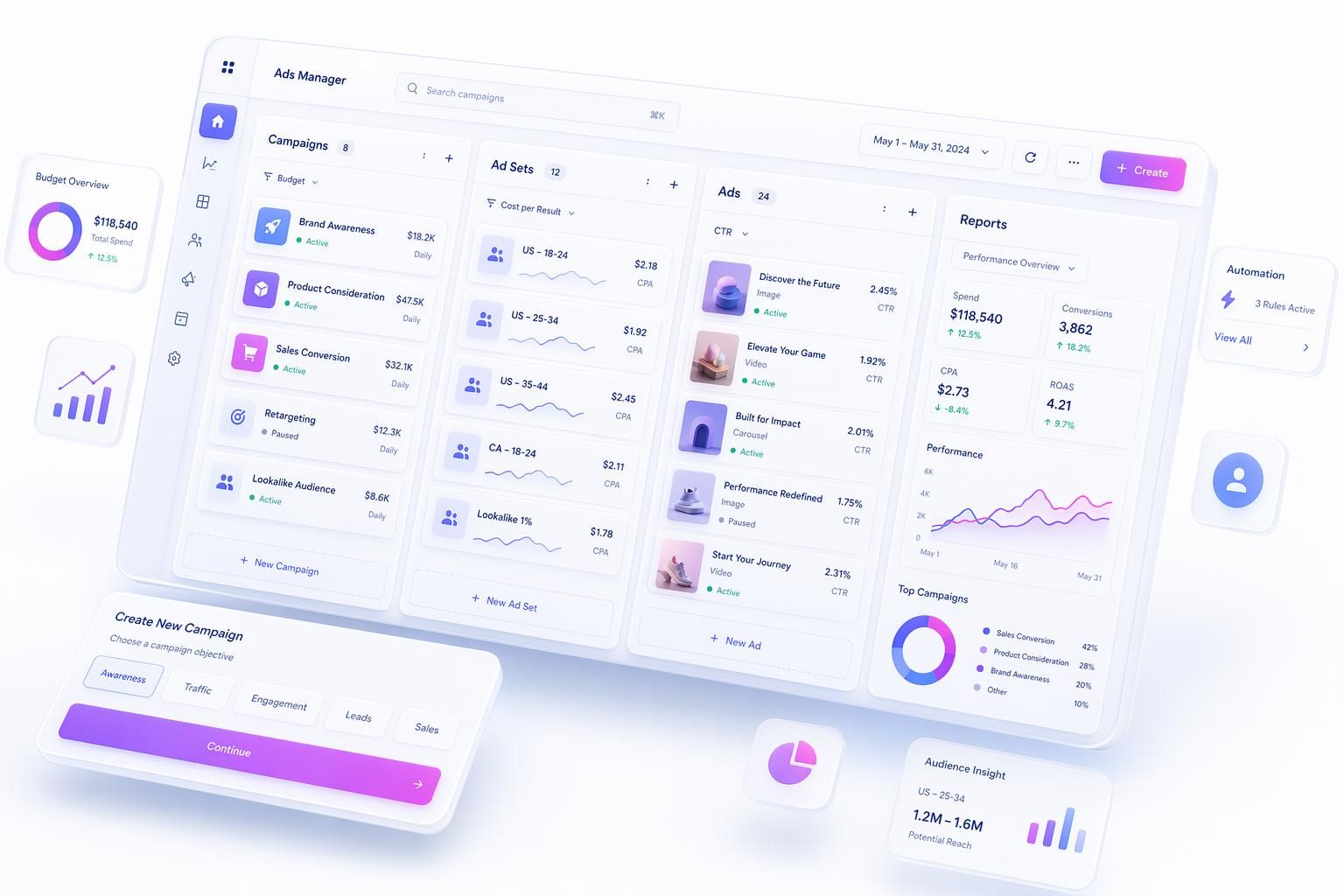
You log into Ads Manager. You see 17 tabs. You see the word "Advantage+" in three different colors next to three different things. You see a button that says "Go to Business Manager" that actually opens something called Business Portfolio. You're not crazy. The cockpit is genuinely confusing in 2026, and even agency pros now have to ask clarifying questions because nobody knows which Advantage+ anyone is referring to. Let's untangle it.
What Facebook Ads Manager Actually Is
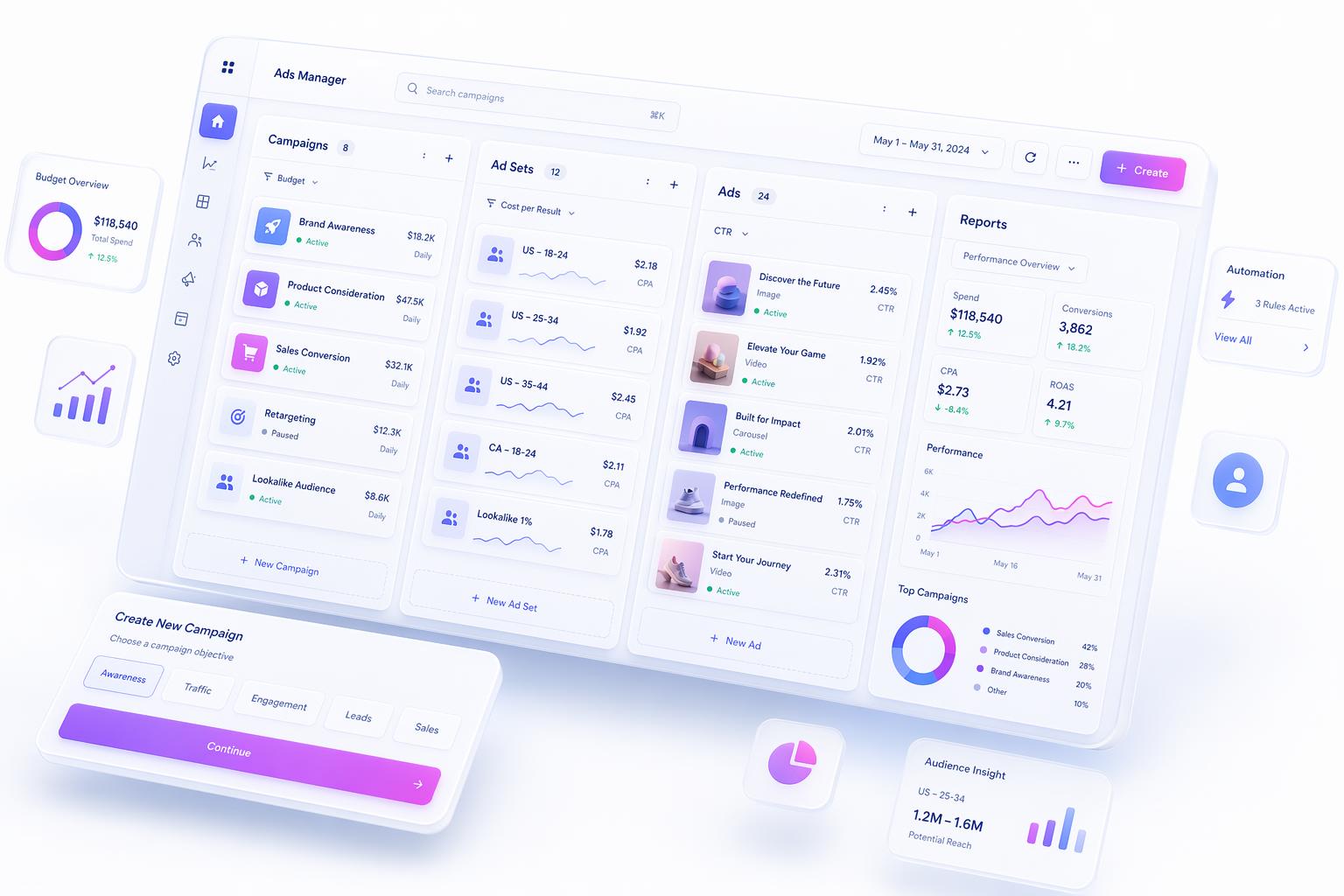
Ads Manager is the free desktop web app at business.facebook.com/adsmanager. Every paid Meta ad runs through it. You pay nothing for the tool, only for spend. The cockpit metaphor: you sit in it to point an airplane somewhere. If you bring no airplane, you go nowhere.
The 3-Level Structure (Campaign → Ad Set → Ad)
Everything in Ads Manager lives inside a three-tier hierarchy.
| Level | What you set | What it controls |
|---|---|---|
| Campaign | Objective, buying type, ad category, Advantage Campaign Budget | The "why" |
| Ad Set | Audience, placements, performance goal, budget (if not CBO), schedule, optimization event | The "who, when, where" |
| Ad | Creative (image/video), copy, headline, CTA, destination URL | The "what" |
You cannot skip a level. Example: "Summer Skincare Launch" campaign (objective: Sales). Two ad sets inside it, one Custom Audience of cart abandoners, one broad US targeting. Eight ads in each. 1 campaign, 2 ad sets, 16 ads, all firing one Pixel event. That's the unit you'll think in for every campaign you ever run. AdMakeAI generates ad creative ready to drop into the bottom tier (Try Create Ad).
The 6 Campaign Objectives (And One Big Rename)
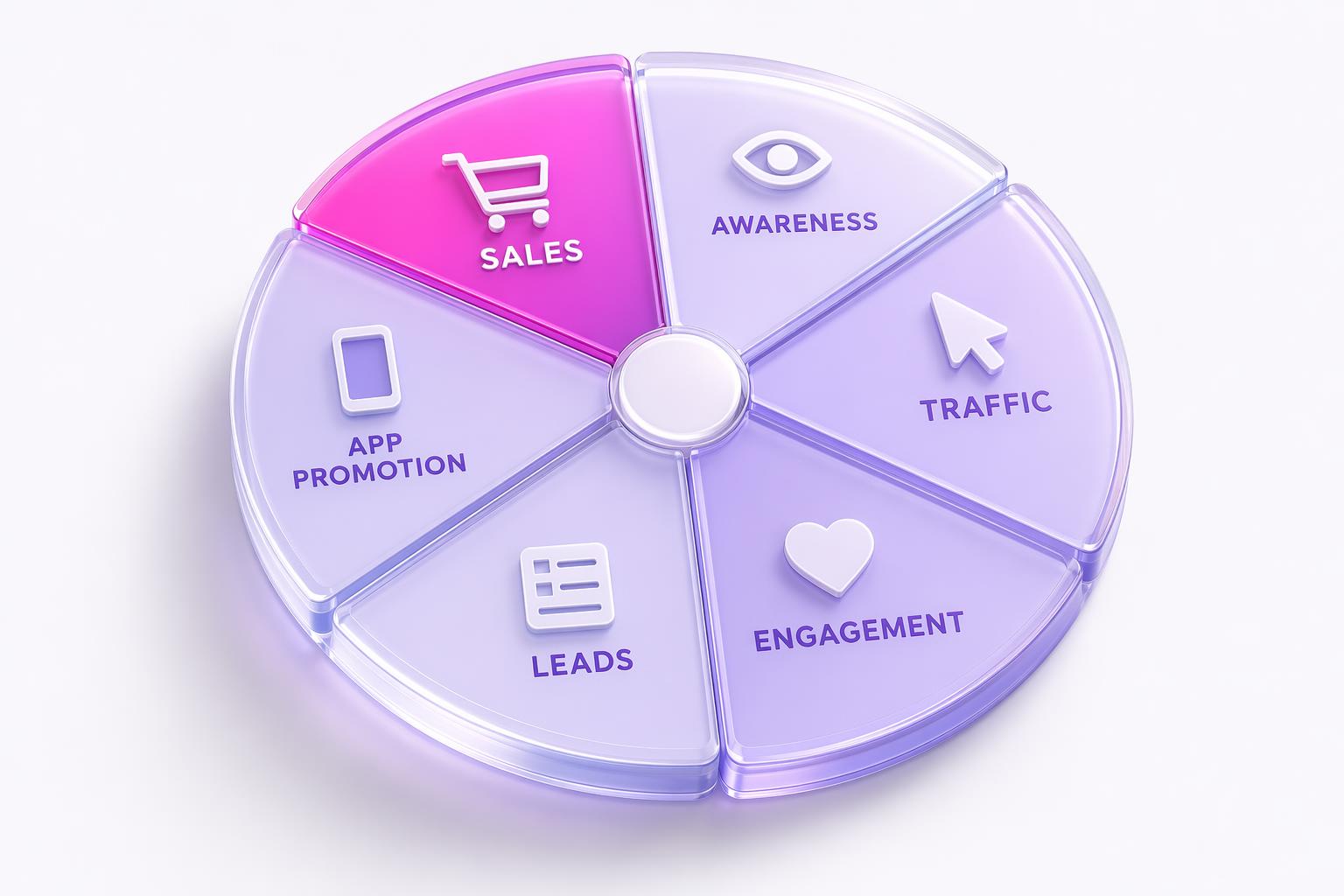
Meta consolidated from 11 objectives down to 6 in 2024 and the menu has stayed there. As of 2026, your choices at the campaign level are always one of these six.
| Objective | When to pick this |
|---|---|
| Awareness | Top-of-funnel reach. New product launch, brand awareness push, category education. |
| Traffic | Link clicks, landing page views. Usually a trap. Picks clickers, not buyers. |
| Engagement | Messages, video views, post reactions. Useful for retargeting seeds. |
| Leads | Form fills via Instant Forms or website conversions. Service businesses, newsletter, lead magnets. |
| App Promotion | Installs and in-app events. The only objective designed around the mobile install loop. |
| Sales | Purchases via Pixel/CAPI. The DTC default. Formerly called "Conversions." |
Founder warning on the Traffic objective: "Traffic campaigns find clickers, not buyers" (source: Ads For Makers). For DTC, the Sales objective with cheap CPC almost always beats a Traffic objective optimized for landing page views. Meta optimizes toward whatever you tell it you want, and clicks are a much weaker signal than purchases.
Advantage+ Explained (And Why Even Agency Pros Are Confused)
Meta has named at least a dozen separate features "Advantage" or "Advantage+" and then changed which ones use which spelling. Jon Loomer on the labeling problem:
"Meta named at least a dozen separate features Advantage or Advantage+. Even pros now ask clarifying questions before they know which one anyone means." (source: Jon Loomer)
Three things called Advantage+ that get conflated:
1. Advantage+ Sales Campaigns
The old "ASC." A fully automated campaign type that removes most of the targeting and creative manual steps. Meta optimizes across audience, placements, budget, and creative combinations. Renamed from "Advantage+ Shopping Campaigns" in Q1 2025 (source: Common Thread Co).
2. Advantage+ Audience
Audience layer only, inside a normal campaign. Meta picks targeting based on your Pixel data, past conversions, and prior ad interactions. Used to be called "Advantage Detailed Targeting" before the silent rename.
3. Advantage+ Placements
Placement layer only. Meta auto-distributes your ad across Facebook Feed, Instagram Feed, Stories, Reels, Marketplace, Messenger, Audience Network instead of you ticking boxes manually.
Plus "Advantage Campaign Budget" (no plus sign), which is the old "CBO" rebranded under the Advantage+ umbrella in 2024.
Turn Advantage+ on by default if you're running DTC under $10K/month spend. The algorithm has more data than you do and manual control loses on small budgets. Above that, start carving out manual ad sets so you can see what the algorithm is doing and override when it goes wrong. Multiple advertisers report Advantage+ Audience flooding B2B campaigns with junk leads; turning off audience expansion is the immediate fix.
Audience Targeting Layers (Core, Custom, Lookalike, Advantage+)
| Layer | What it is |
|---|---|
| Core / Detailed Targeting | Demographics, interests, behaviors selected manually |
| Custom Audiences | People you already know, website visitors, customer lists, app users, video viewers |
| Lookalike Audiences | New users similar to your custom audience seed |
| Advantage+ Audience | Meta picks targeting based on your Pixel data and prior ad interactions |
Post-Andromeda (Meta's mid-2025 algorithm overhaul), the audience block matters less than it used to. Tara Zirker, founder of Successful Ads Club, now recommends "targeting the entire country with no age selection, no gender selection, and no interests" to give the algorithm maximum data access (source: Social Media Examiner). If you're launching cold in 2026 and not constrained by a regulated category, broad targeting plus diverse creative beats narrow targeting almost every time.
The Andromeda Gap (What No Other 2026 Guide Mentions)
Most of the top-ranking guides for "Facebook Ads Manager" were written before or during Meta's Andromeda rollout in mid 2025 and never updated. Andromeda is a personalized ad-ranking model with a neural network roughly 10,000x larger than the system it replaced. In English: Meta now picks which specific ad to show each specific user based on that user's behavior, not on your targeting cluster.
"CPAs crept up. CTRs dipped. Learning phases dragged on. Accounts that had performed consistently for years began to look like strangers to their own data." (source: Silverback Strategies)
Two things flip post-Andromeda. First, audience targeting matters less. Meta sorts users for you, you just hand it raw signal. Second, creative volume matters more. The algorithm wants 15 to 50 distinct ads per ad set, not 15 variations of the same ad. Tara Zirker, again: "Top advertisers now run 15 to 50 ads per ad set. Not 15 variations of the same concept, 15 genuinely different approaches" (source: Social Media Examiner).
See the creative volume wall: 8-figure brands like Loop Earplugs run 500+ concurrent ads on a single Meta account. Post-Andromeda, the media buyer's job is now creative operations. Whoever ships 80 ads a week destroys whoever ships 8, regardless of who's smarter. Ads Manager is the cockpit. The bottleneck is what you can put inside it.
The Three Settings That Matter (Budget, Learning Phase, Pixel/CAPI)
1. Budget allocation
Under $50/day total spend, use ABO (Ad Set Budget Optimization). Manual control gives cleaner read-outs at low signal. Above $50/day with 3 or more ad sets, switch to Advantage Campaign Budget (formerly CBO). Meta's allocation beats yours and you stop fighting it.
2. The Learning Phase
Every new or significantly edited ad set enters a calibration period called the Learning Phase. Meta needs roughly 50 of your chosen optimization event within 7 days to exit it (source: Use Wonderful). You'll see three statuses in the Delivery column: Learning (calibrating, normal, don't make changes), Learning Limited (Meta predicts you won't hit 50 events; raise budget, broaden audience, or consolidate ad sets), and Active (exited learning, now you can read the data with confidence). See the Facebook Ads learning phase explained for the detailed reset triggers.
3. Pixel + Conversions API
You need two tracking systems running together: the Pixel (browser tag) and the Conversions API (server-side companion). Browser tracking alone loses 20 to 35% of events. CAPI fills the gap. As of April 2026, Meta-enabled CAPI is one click, no developer, no Stape middleware, no excuse (source: PPC.land). On Shopify, WooCommerce, WordPress, or Wix, the partner integration installs both in under five minutes. Hand-coded? Drop the Pixel snippet, verify with the Meta Pixel Helper Chrome extension, then enable Meta-enabled CAPI from the Events Manager. Running Pixel alone in 2026 leaves Meta under-optimizing your campaigns because its CPA model thinks they're worse than they are.
Reading the Reports (Which Columns Matter, Which to Ignore)
The Reports tab in Ads Manager has ~150 columns you can add. Most are noise. Here are the six that drive almost every decision a working media buyer makes.
| Column | What it tells you | When to act |
|---|---|---|
| CPM | Cost per 1,000 impressions. Indicates competition + audience quality. | Spike means competition rose or audience is shrinking |
| CPC (link) | Cost per link click | Compare to your conversion rate to model CPA |
| CTR (link) | Click-through rate on destination link | Below 1% on cold = creative is weak |
| CPA / Cost per Result | Cost per your chosen optimization event | The number that matters |
| ROAS | Revenue / Ad Spend. The single most important DTC number. | Above breakeven = scale, below = kill |
| Frequency | Average times each person saw your ad | Rising frequency + dropping CTR = creative fatigue |
Rough 2026 anchors: CTR around 1.15%, CPC $0.70 to $1.92, CPM $5 to $50 by vertical. If you're under 0.5% CTR and over $40 CPM, the creative is broken. Ship more variants. Don't retune targeting. For deeper CTR diagnosis, see how to get higher CTR on Facebook ads in 2026.
Columns to ignore:
Estimated Action Rate (Meta's internal black box). Engagement Rate on Sales campaigns. Quality/Engagement/Conversion Ranking. Don't check more than once a day on new campaigns.
The Rename Headache (Business Manager, Business Suite, Ads Manager, CBO, ASC)
Meta renamed almost everything between 2023 and 2025. Three distinct products you'll trip on first: Ads Manager (runs paid campaigns), Business Suite (schedules organic content, inbox), and Business Manager (backend assets, permissions, billing). Most beginners conflate them and most agency briefs are ambiguous.
| Tool | What it does | What it's called now |
|---|---|---|
| Meta Ads Manager | Run paid campaigns end-to-end | Still "Ads Manager" |
| Meta Business Suite | Schedule organic content, manage messages, light boosting, inbox | "Business Suite" |
| Meta Business Manager | Backend asset/permission/billing management | Renamed "Meta Business Portfolio" (2024) |
Ads run in Ads Manager. Organic posts get scheduled in Business Suite. Users, billing, ad-account permissions, and Page assignments live in Business Portfolio (the new name for Business Manager). If a freelancer asks you for "access to your Business Manager," they mean Business Portfolio, even though the UI button hasn't been updated yet.
Beyond Business Manager, the other live renames you'll hit: "Conversions" objective became "Sales," "Catalog Sales" and "Store Traffic" got merged into Sales, "CBO" became "Advantage Campaign Budget," and "Advantage+ Shopping Campaigns" became "Advantage+ Sales Campaigns" in Q1 2025 (source: Shopify 2026 guide). If you read a 2022 tutorial that references any of the old names as separate things, the writer is one full naming generation behind.
Inside Business Portfolio, you assign roles per ad account: Admin (full control, including payment), Advertiser (build and run ads, can't change billing), Analyst (read-only). Never share a personal FB password to grant access; use Business Portfolio.
The post-Andromeda creative wall? Solved in an afternoon.
AdMakeAI's Ad Set Studio batch-generates 15 to 50 distinct ad variations for a single ad set - different hooks, formats, backgrounds, angles - in one sitting. The 50-ads-per-ad-set rule the algorithm wants, without the $40K/month agency retainer. Free credits to test, no card.
Common Breakage Points (Mined From the Forums)
Most search traffic around Ads Manager isn't "how do I set up a campaign." It's "why is the thing I built yesterday broken today." The most common failures, ranked.
"I can't find Ads Manager when I log in"
Usually one of four things: you're on the wrong personal Facebook profile (you have 2+ profiles, the ad account is tied to a different one), the account is flagged or restricted, no payment method is on file, or you're on mobile browser (which redirects to a stripped-down mobile lite version). Fix: try the direct URL business.facebook.com/adsmanager on desktop (source: Privyr).
"My budget burned through in an hour"
Known Andromeda-era issue. In late November 2025, six advertisers told AdExchanger that Meta's system was "burning through entire daily budgets within the first hour, sometimes spending 150%+ of daily limits during odd hours" (source: AdExchanger). Workaround: set a Lifetime Budget instead of Daily during peak periods, file a chargeback claim through Business Portfolio, and consider Advantage Campaign Budget caps as a safety net.
"Advantage+ Shopping served oddly zoomed ads"
Also documented during the holidays 2025 outage. The fix is to re-render creative natively for each placement's aspect ratio (9:16 for Stories/Reels, 1:1 for Feed, 1.91:1 for Marketplace) and to upload an Asset Customization version for each format rather than letting Meta auto-resize.
"Where did CBO go?"
Renamed to Advantage Campaign Budget. Same toggle, same behavior. It lives at the campaign level when you create a new campaign, under "Budget" settings. If your old screenshots show CBO and the new UI doesn't, the box you're looking for is the one labeled "Advantage+ campaign budget."
"My ad got rejected but the same one ran last week"
ML reviewer randomness. Meta's 2026 review pipeline is largely automated. Identical ads get inconsistent verdicts on different days. File an appeal through the rejected ad's three-dot menu. If the appeal fails, edit a single field (headline, image crop, color overlay) and resubmit as a new ad - the classifier will re-score from scratch.
"I lost admin access to the Page"
Recoverable via Business Portfolio if any other admin still exists. If you're the only admin and you've lost access, Meta's recovery flow at business.facebook.com/business/help is the only path, and it typically takes 1 to 4 weeks.
"Advantage+ flooded me with junk leads"
Known issue for B2B and high-AOV verticals. Turn off audience expansion (Advantage+ Audience) and switch to a tightly defined Custom Audience or Lookalike. Add lead-quality filters in your CRM and feed those scores back via the Conversions API as a custom event so Meta optimizes toward quality, not quantity.
"Support never replies"
Universal complaint. Jason McDonald on LinkedIn: "You cannot call Facebook. Facebook has zero, zip, nada, no phone support" (source: LinkedIn). Workaround: document every screenshot, error message, and timestamp. Use the in-product Help chat, then escalate via X tagging @MetaforBusiness with the case ID. Faster than email.
Your First Campaign (And the Wall You'll Hit at Step 6)
The condensed flow:
- Hit Create on the Campaigns tab.
- Pick Sales (default for DTC) and Auction.
- Name the campaign
{date}_{product}_{audience}_{objective}. - At ad set level: pick performance goal, broad audience, Advantage+ placements.
- At ad level: upload creative, write copy, set destination URL with UTM tags. Publish. Review is usually under 24 hours, often under 30 minutes for established accounts.
Then you hit step 6: you need actual ads to upload, and your supplier sent you one product photo. The airplane is missing. Ads Manager is a campaign management system. It does not generate creative, write headlines, produce variations at scale, or hand you 15 distinct hook angles for the same product. In 2022, you could brief a designer, wait two weeks, get five ads back, and the algorithm would carry you. In 2026 with Andromeda demanding 15 to 50 distinct creatives per ad set, that production gap is the bottleneck.
"The biggest gap between a $10M brand and a $100M brand isn't product. It's creative volume. The $100M brand tests what the $10M brand tests in a month, in a single day." (Barry Hott)
This is the gap AdMakeAI fills. We don't replace Ads Manager, we feed it. Upload a product photo, pick a vibe, generate 10 to 50 on-brand ad variants in 30 seconds each, download, upload to your next ad set.
Frequently Asked Questions
What's the minimum I should spend on a first campaign?
Meta's technical floor is $1/day, but you won't get useful signal under $20 to $50/day. For DTC, target $30 to $50/day per ad set for 7 days, which gives roughly one purchase optimization event per day at typical conversion rates and lets the learning phase start collecting data.
Do new ad accounts get throttled or rejected more often?
Yes. New accounts start with a low trust score and get disproportionate auto-rejections on benign creatives. Warm up by running small ($10 to $20/day) traffic or engagement campaigns for the first 7 to 14 days, keep your payment method consistent, avoid restricted categories early, and verify your domain in Business Portfolio before you launch anything serious.
What do I do if Meta rejects an ad?
File an appeal from the ad's three-dot menu first; Meta's review pipeline is largely automated and inconsistent. If the appeal fails, edit a single field (headline, image crop, color overlay) and resubmit as a new ad. The classifier re-scores from scratch, and identical-looking ads frequently get different verdicts.
Can I schedule ads to run only at certain hours (dayparting)?
Yes, but only at the ad set level and only when using a Lifetime Budget (not Daily). Switch to Lifetime, then under the ad set schedule, pick "Run ads on a schedule" and check the time blocks. Dayparting on Daily budgets is not supported.
Ads Manager Won't Make Your Ads. AdMakeAI Will.
The cockpit is clear. The airplane is the problem. Andromeda wants 15 to 50 distinct ads per ad set, your supplier sent you one product photo, and your designer is booked through October. AdMakeAI generates the variations in an afternoon. Free credits, no card.
Related Resources
The Creative Volume Wall: Why Loop Runs 500 Meta Ads at Once
Andromeda demands 15 to 50 ads per ad set. Here's how 8-figure brands actually hit that volume.
How to Get a Higher CTR on Facebook Ads in 2026
The CTR column in your Ads Manager report, debugged. Hook, format, and frequency tactics.
The Facebook Ads Learning Phase, Explained
Why your new ad set says "Learning Limited" and the 5 ways to escape it without resetting the timer.
What Is an AI UGC Ad? The 2026 Guide
The fastest way to feed Ads Manager fresh creative without booking a single human creator.
Create Facebook Ad
Generate Meta-spec ads in 30 seconds. Upload straight to your next ad set.
Competitor Intelligence
See exactly what every competitor is running in their own Ads Manager - live.
Make your next ad from what already runs
Research what competitors are running, then generate your own on-brand ads in minutes.