TikTok Spark Ads: How Spark Codes Work, What They Cost, and the Gotchas Nobody Warns You About
What TikTok Spark Ads are, the full Spark code flow from both the creator and advertiser side, expiry and renewal gotchas, whitelisting costs, and copy-paste request templates.
The most common Spark Ads emergency looks like this: a creator video you boosted is printing purchases, then delivery flatlines overnight. Nothing in the ad changed. Nobody paused it. The 30-day authorization window the creator picked three weeks ago just ran out, and TikTok stopped the ad without sending you so much as an email.
That failure mode exists because Spark Ads are not normal ads. You are renting someone's real organic post, and the rental agreement is a code with an expiry date. This guide covers what Spark Ads actually are, the performance numbers TikTok publishes (with the fine print), the authorization flow from both sides, the gotchas that generate the support tickets, what everything costs, and three copy-paste messages for getting codes out of creators.
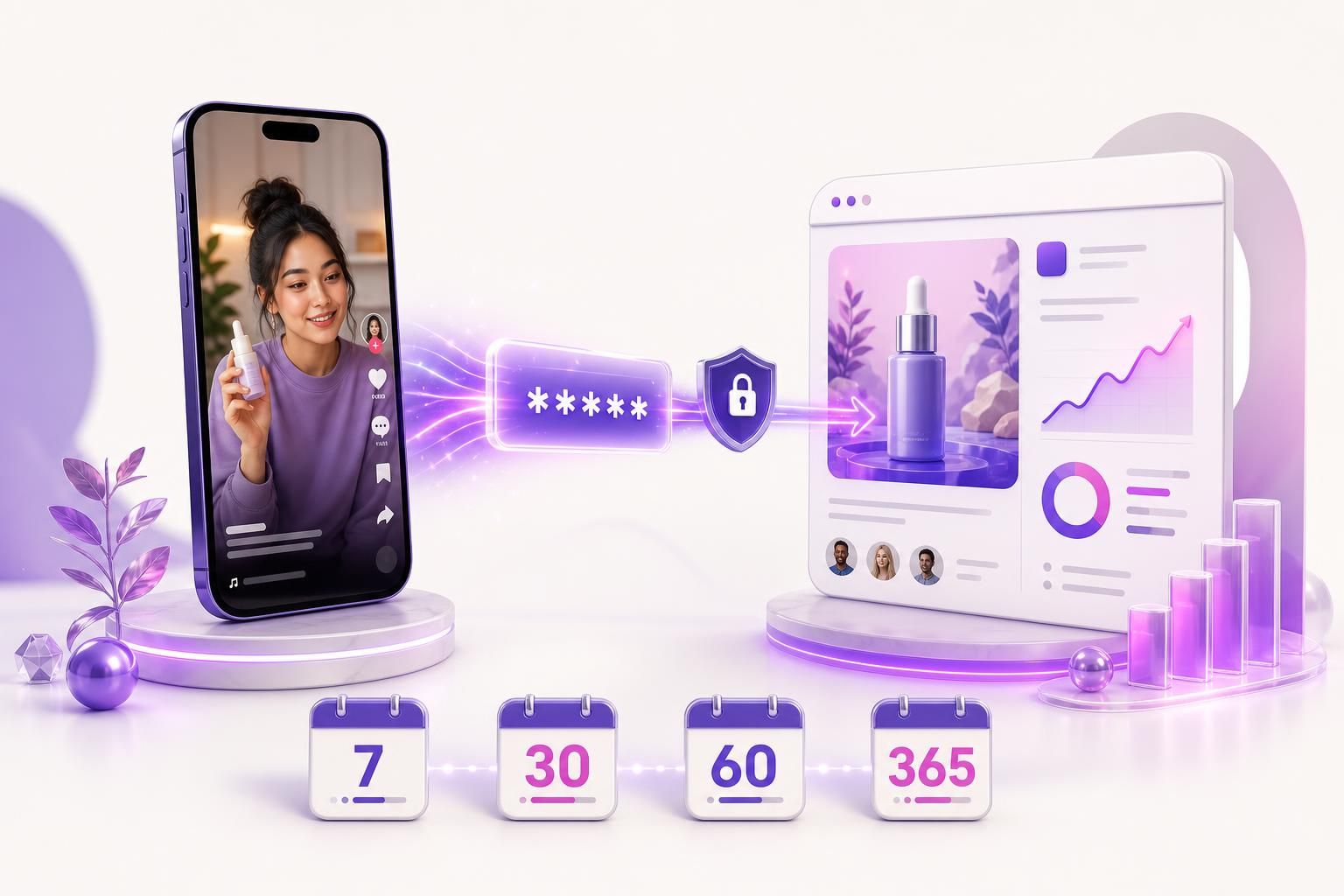
Quick answer: Spark Ads are TikTok's native ad format for boosting a real organic post, either your own or a creator's, as an in-feed ad. A creator authorizes a specific video by generating a Spark code valid for 7, 30, 60, or 365 days, the advertiser redeems that code in Ads Manager, and every like, comment, share, and follow the ad earns lands on the organic post and stays there after the campaign ends.
What are Spark Ads?
TikTok's official definition: “Spark Ads is a native ad format that allows you to leverage organic TikTok posts and their features in your advertising.” The format launched globally in July 2021, and the core mechanic has not changed since: instead of uploading a video file into Ads Manager as a dark post, you put paid spend behind a post that already exists on a real TikTok account.
There are two flavors. You can spark posts from your own brand account, which is the low-friction version. Or you can spark a creator's post with their permission, which is what most people mean when they say whitelisting or allowlisting on TikTok. The second flavor is where all the code logistics in this guide come from. For the Meta version: partnership ads, the creator grants access in the Instagram or Facebook app instead.
The difference from a standard in-feed ad is plumbing, not looks. Both appear in the For You feed with a Sponsored label. But on a Spark Ad, the interactive surfaces are real: tapping the profile photo or handle opens the creator's actual profile, tapping the music disc opens the sound page, and the follow button follows the real account. On a standard in-feed ad, nearly every one of those taps dumps the user onto your landing page, and any engagement the ad collects evaporates when the ad stops.
| The user taps | Spark Ad | Standard in-feed ad |
|---|---|---|
| Profile photo or handle | Opens the real account profile | Goes to the landing page |
| Music disc | Opens the sound page | Not clickable as a sound |
| Like, comment, share, follow | Accrues to the organic post, permanently | Tied to the ad, gone when it stops |
| CTA button | Goes to the landing page | Goes to the landing page |
A few practical details that matter when you plan campaigns. Spark Ads have no restrictions on aspect ratio, resolution, duration, or file size, because the creative is the post as it already exists. They run on the TikTok placement only, so Pangle and the Global App Bundle must be off. On the auction side they support Reach, Traffic, Video Views, Community Interaction, App Promotion, Conversions, Lead Generation, and Sales objectives. And they unlock a set of paid metrics standard ads do not have: paid likes, paid shares, paid follows, paid profile visits, and paid comments, all counted within one day of an ad view.
The performance numbers, with the fine print
TikTok's pitch for the format rests on a handful of internal studies, and it is worth knowing exactly what they say because the numbers get repeated everywhere without their footnotes.
- 134% higher completion rate and 157% higher 6-second view-through rate versus standard In-Feed Ads. TikTok attributes this to an internal Spark Ads A/B test in the brand auction, and has been citing the same two figures since the format launched in 2021.
- 30% higher completion rate, 142% higher engagement rate, 43% higher conversion rate, and 4% lower CPM versus non-Spark in-feed ads. The footnote on this one reads “Q4 2020 to Q2 2021, TikTok internal data,” from the Spark Ads Creative Playbook on TikTok's Creative Center.
- 69% higher conversion rate and 37% lower CPA from a 2022 internal test of the profile landing page UI in the performance auction.
Notice what is missing: anything recent. TikTok has not published a Spark-versus-standard comparison since those 2020-2022 datasets, and third-party numbers floating around blog posts in 2026 mostly trace back to the same three studies or to stat aggregators with no primary source.
Independent tests complicate the story in a useful way. An A/B test published by the agency scandiweb in January 2023 ran the same four videos as Spark Ads and as regular Single Video Ads on a conversion objective, and the non-Spark versions came out with roughly 59% lower CPM and lower CPC across every cell. Hootsuite's own small-budget experiment landed on a similar split: Spark Ads clearly won when the goal was engagement and followers, not when the goal was cheap clicks.
The honest read: Spark reliably buys trust signals, engagement that compounds on a real account, and stronger view-through. It does not automatically buy cheaper conversions, and if someone tells you it does, ask which year their data is from.
Creator side: generating a Spark code
This is the part you will end up explaining to creators over DM, so here it is in the exact order they will see it. Two things must be true first: the post has to be public, and the video cannot use sounds the creator is not licensed to use commercially (more on the music trap below).
- Turn on ad authorization at the account level (one time): Profile > Menu > Settings and privacy > Creator tools > Ad settings > toggle Ad authorization on.
- Authorize the specific video: open the video, tap the three dots (...), choose Ad settings, toggle it on for that video, and agree to the advertising terms.
- Pick the authorization window: 7, 30, 60, or 365 days. The default is 30. One note from checking current guides: a couple of recent walkthroughs list only 30, 60, and 365, so the 7-day option may not appear for every account. Whatever the menu shows, longer is better for the advertiser, and 60 days is a reasonable ask for a first run.
- Generate and copy the code. TikTok produces a long alphanumeric token that starts with a #. The creator copies it and sends it over however you communicate. That string is the entire authorization.
Two behaviors worth telling creators about up front, because they are the usual sources of cold feet. First, if a private video gets used in a Spark Ad, it becomes public, and the privacy setting is locked while the promotion runs. Second, the creator cannot delete the video while an authorization is active; they have to revoke the authorization first. Neither is sinister, but a creator who discovers them mid-campaign is a creator who pulls your code.
Advertiser side: redeeming the code
Once the code is in your inbox, you have two ways to attach it to your ad account.
- The asset library route: in TikTok Ads Manager, go to Tools > Creative Assets > Spark Ads posts, click Apply for Authorization, paste the code, search, confirm the post details, and link it. The post now sits in your creative library like any other asset.
- The in-flow route: while building an ad, under Ad creatives choose + Add videos or images, switch to the TikTok posts tab, and click Add post. You can paste up to 20 video codes at once here, which is the sane way to onboard a batch of creator posts.
At the ad level you then select the option to use a TikTok account to deliver Spark Ads, pick the authorized post as your creative, and set the destination URL, tracking, and a CTA button from TikTok's preset list (Shop Now, Learn More, Sign Up, Download, and roughly fifteen others; there is no custom button text). The CTA shows in the feed, in the comment panel, and on the identity's profile page.
There are also two ways to skip codes entirely. A creator can link their TikTok account to your Business Center, which exposes their posts for Spark use at the account level, and campaigns booked through TikTok One / the creator marketplace carry authorization built into the collaboration. Both are worth setting up for long-term creator relationships; codes are for everything else.
The gotchas that fill the search results
The renewal problem
Authorization windows expire on schedule regardless of what your campaign is doing, and TikTok does not proactively warn you. When the window lapses, delivery stops and Ads Manager shows error 4025: authorization expired, with the unhelpful advice to contact the creator. If you try to schedule an ad to run past the window's end date, you hit error 900010 instead, which blocks the ad because the authorization ends before the ad's end time.
The asymmetry that matters: before expiry, the creator can extend the existing authorization in about twenty seconds, with no new code and no relinking. They open the video's Ad settings, tap Manage, and pick a new duration. After expiry, the code is dead and cannot be reactivated. The creator has to generate a brand-new code, you have to link it again, and you rebuild the ad. TikTok does not document whether a relinked post preserves the old ad's learning, so plan as if it does not.
The operational fix is boring: log every code's expiry date the day you receive it, and set a reminder at least a week out. The renewal template at the bottom of this post exists because the ask is awkward to write at 11pm on the day delivery stops.
“Spark Ads code invalid or expired”: the checklist
When a code refuses to redeem, it is one of these, in rough order of likelihood:
- Whitespace or a typo. Error 4013 is a format error. Codes travel through DMs and email, which love to add trailing spaces and line breaks. Paste into a plain text editor first, strip everything around the token, and make sure the leading # survived.
- The code was deleted. Creators can revoke an authorization, and some do it accidentally while poking around Ad settings. Ads Manager reports the code as not found.
- The window already expired. A 7-day code generated the week before your launch is dead on arrival. Check the generation date, not just the code.
- The video was deleted or made private. The official error for the second case is literally “The post is not public.”
- Your ad account lacks permission. If you operate inside a Business Center, the ad account redeeming the code needs ad permissions; agency setups trip on this constantly.
One myth to retire: there is no documented limit on how many times a code can be redeemed and no separate redemption deadline hiding inside the authorization window. If a code fails, it is on the list above, not because it was “used up.”
What you can and cannot change
TikTok's docs are blunt: the ad's display name and text reflect the chosen organic post and cannot be edited during ad creation. You cannot touch the video, you cannot rewrite the caption, and the avatar and handle are the creator's. What you control is the CTA button, the destination URL, and tracking. That is the whole deal: you are buying authenticity, and the price of authenticity is that you cannot edit it. If the caption has a typo or the hook is buried at second six, the fix happens on the creator's phone or not at all, so review the post like a creative asset before you ever ask for the code.
Comments, engagement, and who holds the moderation keys
Every like, comment, share, and follow your spend generates lands on the organic post and stays there when the campaign ends. This is the format's best feature and its sharpest edge. Best feature: a sparked winner leaves behind a post with 40,000 likes that keeps converting profile visitors for free. Sharpest edge: the comment section is live on both the ad and the post, so “this is a scam” comments greet paid traffic and organic traffic alike.
Ads Manager's comment management tools do work on Spark Ads: you can view, hide, pin, and block, and maintain blocked-word lists. Replying is the exception: only someone with access to the authorizing account or post can reply to comments, so agree with the creator up front about who answers questions under the ad. Advertisers see paid metrics, including the Spark-only ones like paid follows and paid profile visits, in Ads Manager; the creator's own analytics show combined organic plus paid totals, which also means they can see exactly how hard you are spending against their post.
Hard limits and the music trap
- Maximum video length for a sparked post: 10 minutes, per TikTok's Spark Ads page (its in-feed spec page says no limit; the other TikTok length limits are in our size guide).
- Maximum Spark posts linked to one ad account: 10,000.
- Maximum codes per batch when adding posts in-flow: 20.
- The music trap: a creator's personal-use sound license does not cover commercial boosting. A post built on a trending commercial track can be ineligible for Spark use or get the ad rejected, and this surfaces only after you have negotiated everything else. If a video is being made for ads, have the creator use Commercial Music Library sounds or original audio from the start.
All of this exists because native-looking creative wins
The codes, the windows, the renewal DMs: the entire dance is the price of creative that does not look like an ad. AdMakeAI generates native-style ad creatives from a product photo or a prompt, so you get the casual, feed-native look with zero creator negotiation, no authorization windows, and nothing that expires mid-campaign. And if you want to see which posts your competitors are putting paid spend behind, track them in one place and save the winners to a swipe file.
What Spark Ads cost
On the platform side, Spark Ads cost exactly what any TikTok auction ad costs. There is no surcharge for the format. The floors are TikTok's standard minimums: campaign budgets above $50 per day and ad group budgets above $20 per day. CPMs depend on whose benchmark you trust: Lebesgue's ecommerce conversion-campaign data puts the average near $4.80, WebFX's broader average sits around $9.16, and Triple Whale measured $13.26 for ecommerce in 2025, up 16% year over year and just under Meta's $14.19. Call it $4 to $14 depending on vertical and objective, with Q4 at the painful end.
The real Spark-specific cost is the creator's usage fee, and this is where new buyers get surprised. A UGC content fee buys you the video file. The right to run paid spend from the creator's handle is a separate line item, priced in current UGC rate guides at roughly 30% of the base content fee per 30 days as a baseline, with quoted ranges running from 30% up to 100% per month depending on the creator's following and how well the post is performing. Concretely: a $150 UGC video with 60 days of Spark rights at a 30% monthly rate is $150 + $90. Year-long authorizations are usually negotiated as a flat fee instead, because nobody wants to price 12 renewals up front.
Negotiating tip that saves real money: buy the window you will actually use. Most Spark creative fatigues within 4 to 8 weeks like everything else, so a 60-day window with a pre-agreed renewal rate beats paying for 365 days of rights on a post that dies in week five.
Three messages that get you Spark codes
Copy these, fill in the brackets, and adjust the tone to the relationship. The structural trick in all three: include the exact tap path so the creator never has to google anything, and name the window you want so it is a decision, not a research project.
Template 1: paid UGC partner (usage rights already in the contract)
Hey [name]! The video is approved and we are ready to put paid spend behind your post as a Spark Ad, per the usage terms in our agreement. Two-minute favor: 1. Settings and privacy > Creator tools > Ad settings > turn on Ad authorization (one time) 2. Open the video > tap ... > Ad settings > toggle it on 3. Set the duration to [60 days] 4. Tap Generate code and send me the full code starting with # Happy to send a 30-second screen recording of the steps if that is easier. Thanks!
Template 2: organic mention you want to whitelist (cold ask)
Hi [name], I run the ads for [brand]. Your video about [product] ([link]) is exactly the kind of content that performs for us, and we would like to pay you to let us boost it as a Spark Ad from your account. What that means in practice: the post stays yours, we cannot edit the video or caption, and every like, comment, and follower the promotion earns stays on your post and profile permanently. We pay [$X] for a 30-day authorization, renewable at the same rate if it performs. If you are open to it, I will send simple one-page terms plus the four taps it takes to generate the code. No pressure either way, the video is great.
Template 3: renewal before the window expires
Hey [name], quick one: the Spark authorization for [video] expires on [date] and the ad is still performing, so we would love to keep it running without a gap. If you extend it before [date] it takes about twenty seconds and no new code is needed: open the video > tap ... > Ad settings > Manage > pick [60 more days]. Usage fee for the next window is [$X], invoiced the same as last time. Can you confirm you are good to extend by [date minus 2 days]? After it lapses TikTok makes us start over with a fresh code, which is worse for both of us.
When Spark beats standard, and when it is overkill
Spark Ads earn their logistics when the post itself carries weight. Reach for them when:
- A creator video already won organically and you want to scale the exact post, with its likes and comments attached as social proof.
- You are retargeting warm audiences, where a familiar face and a living comment section outperform an anonymous dark post.
- You want the paid spend to build an asset: follower growth and engagement that persist on your account after the campaign.
- You are whitelisting a proven creator and their audience's trust is the actual product you are renting.
Skip them when:
- You are volume-testing disposable creative. Dark posts upload in seconds; Spark posts need a live post plus a code plus a wait for a human on the other end.
- Pure direct-response efficiency is the goal. The scandiweb A/B test above is one data point, but it matches what many buyers see: non-Spark can clear cheaper CPMs and CPCs on conversion objectives.
- There is no organic presence to leverage, so you would be sparking a post nobody engaged with, which buys you the logistics without the social proof.
- You are running dozens of creators. Practitioners who manage Spark programs at scale consistently flag code and expiry tracking as the bottleneck once you pass a few dozen active authorizations.
The pattern underneath both lists: Spark Ads are a distribution deal for content that already looks native. If what you actually need is the native look at testing volume, you can generate native-style ad creatives with AI in minutes, iterate on the hooks that win, and reserve the Spark logistics for the one creator post per quarter that genuinely earns them. Our TikTok ad maker builds creatives in that casual, feed-native register on purpose, and ad research keeps a running swipe file of what competitors are boosting so you are not guessing at formats.
Frequently asked questions
What are Spark Ads?
Spark Ads are TikTok's native ad format that boosts a real organic post, from your own account or from a creator who authorizes it, as an in-feed ad. Unlike standard in-feed ads, the profile, handle, music, and engagement are all real and clickable, and every like, comment, and follow the ad earns stays on the organic post after the campaign ends.
What is a Spark Ads code?
A Spark code is a long alphanumeric token starting with # that a creator generates for one specific video, valid for 7, 30, 60, or 365 days. The advertiser pastes it into Ads Manager under Tools > Creative Assets > Spark Ads posts to gain permission to run that post as an ad. The code is the entire authorization: no passwords, no account access.
Why does my Spark Ads code say invalid or expired?
The usual causes, in order: whitespace or a missing character from copy-paste (error 4013), the creator revoked the authorization, the window expired before you redeemed it, the video was deleted or made private, or your ad account lacks permissions in Business Center. Expired codes cannot be reactivated; the creator has to generate a new one.
Can I edit the video or caption on a Spark Ad?
No. The display name, video, and caption come from the organic post and cannot be edited in Ads Manager. You control the CTA button (from TikTok's presets), the destination URL, and tracking. If the creative needs a change, the creator edits or re-posts on their side and issues a new code.
How much do Spark Ads cost?
Media cost is the standard TikTok auction with no format surcharge: minimum $50/day campaign and $20/day ad group budgets, with 2025-2026 CPM benchmarks ranging roughly $4 to $14 depending on the dataset and vertical. The extra cost is creator usage rights, typically 30% to 100% of the base content fee per 30 days of authorization.
Do Spark Ads work without a creator?
Yes. You can spark posts from your own brand account with no codes involved, which is the easiest way to test the format. The code flow only exists for running ads from someone else's handle.
Get the Native Look Without the Code Logistics
Generate feed-native ad creatives with AI, test hooks at volume, and save the Spark authorization dance for the creator posts that truly earn it. Free credits, no card required.
Native-style ad creatives in about 30 seconds. Nothing expires.
Related resources
What Is an AI UGC Ad?
The creator-style ad format without the creator, and when it makes sense to use it.
Why Ugly Ads Outperform Polished Ones
The same principle that makes Spark Ads work: native beats produced.
Meta Partnership Ads
The Meta version: ad codes, account-level permissions and how long access lasts.
TikTok Video Size and Ad Specs
1080 x 1920, length limits and the safe zone in pixels.
Ad Research Tool
Track what competitors are running and save winners to organized swipe files.
Make your next ad from what already runs
Research what competitors are running, then generate your own on-brand ads in minutes.