How to Connect Claude to Meta Ads (Without Getting Banned)
Meta now runs an official Ads MCP server that connects Claude straight to your ad account. Here is how to set it up in Claude Desktop, Claude Code, or ChatGPT, why the browser route still gets accounts banned, what the official server cannot do, and how AdMakeAI covers the creative half.
Last verified: July 22, 2026
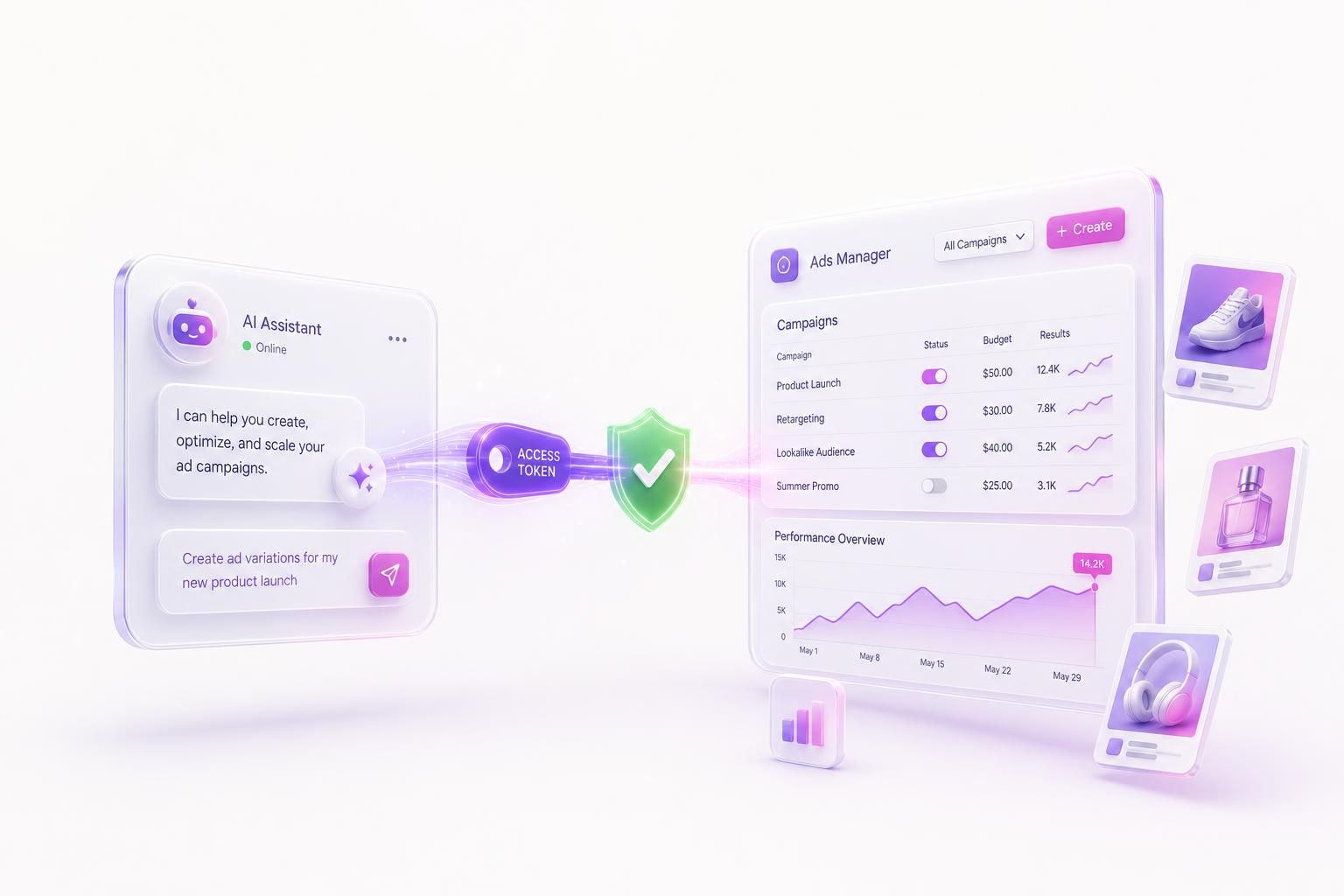
A new request keeps landing on marketing teams: hook Claude up to our Meta ads. Let it pull competitor creative, write the variations, build the campaign, and push it live. Since April 2026 there is even a first-party way to do part of that, because Meta now runs an official Ads MCP server that Claude can talk to directly. That changes the answer to this question, but not its shape. The browser route still gets accounts disabled, the API route still survives, and no Meta ads MCP server, official or otherwise, can generate the ad image itself. Here is how the pieces fit together now.
Quick Answer: You connect Claude to Meta ads through tools that call Meta's official Marketing API, never by letting it click around Ads Manager in a browser. Since April 29, 2026, Meta has run an official Ads MCP server at mcp.facebook.com/ads: add it to Claude as a custom connector, sign in with OAuth, and you get 29 campaign-management tools, with every campaign it creates landing paused until you turn it on. What it cannot do is make creative. AdMakeAI's MCP server is the layer for that: competitor research, on-brand ad images, and campaign drafts in the same chat, with you approving every push.
Claude is not the risk. The connection is.
Meta does not care whether a human, a script, or a frontier model is behind a browser session that behaves like a bot. It reads the behavior and the fingerprint, and it enforces on the whole account. Pick the wrong connection method and the smartest model in the world will still get your Business Manager locked. Pick the right one and the model becomes a genuinely useful pair of hands.
What “connect Claude to Meta ads” actually means
Strip away the hype and the request is about handing off three jobs that eat a media buyer's week:
- Research: find what competitors are running right now, which angles repeat, and which creative has been live long enough to be working.
- Create: turn those angles into on-brand ad variations at volume, with headlines and primary text that match the image.
- Operate: launch the campaign, watch the numbers, and turn off the losers before they burn budget.
Claude is good at the reasoning glue between those steps. It can read a wall of competitor ads, spot the pattern, write the brief, and assemble a structured campaign. The only real question is what you let it touch to do that. That single choice, browser or API, is what separates a useful agent from a banned account.
Route 1: let Claude drive a browser (the one that gets banned)
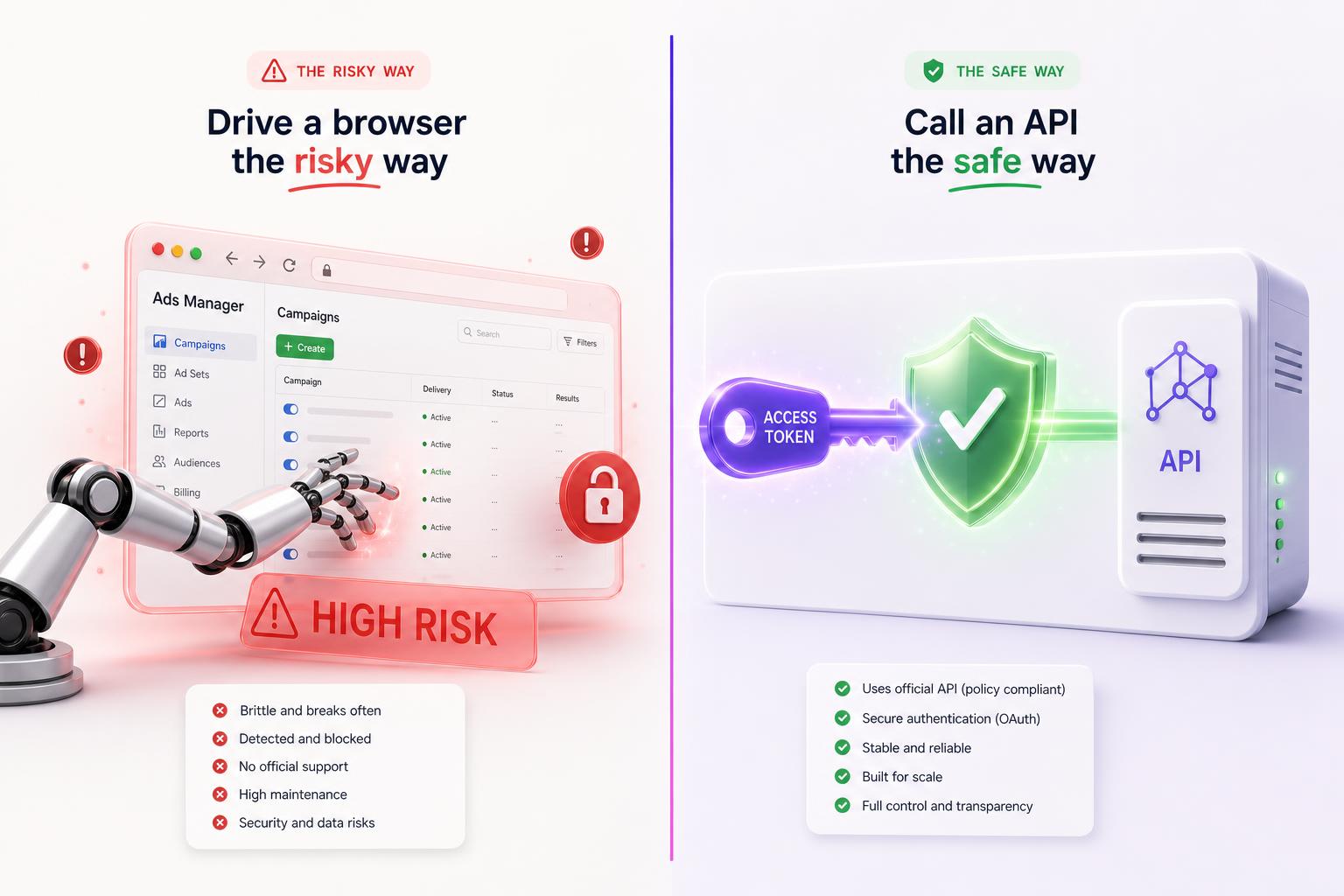
The tempting setup is a browser agent. You point a computer-use model or a “browser MCP” at your logged-in Facebook session and let it click through Ads Manager like a person: open the campaign builder, upload the creative, set the budget, hit publish. It demos beautifully in a thirty-second clip. It is also the single fastest way to lose the account.
Here is the part people miss: an agent in a browser is riskier than a human in a browser, not safer. Four reasons stack up.
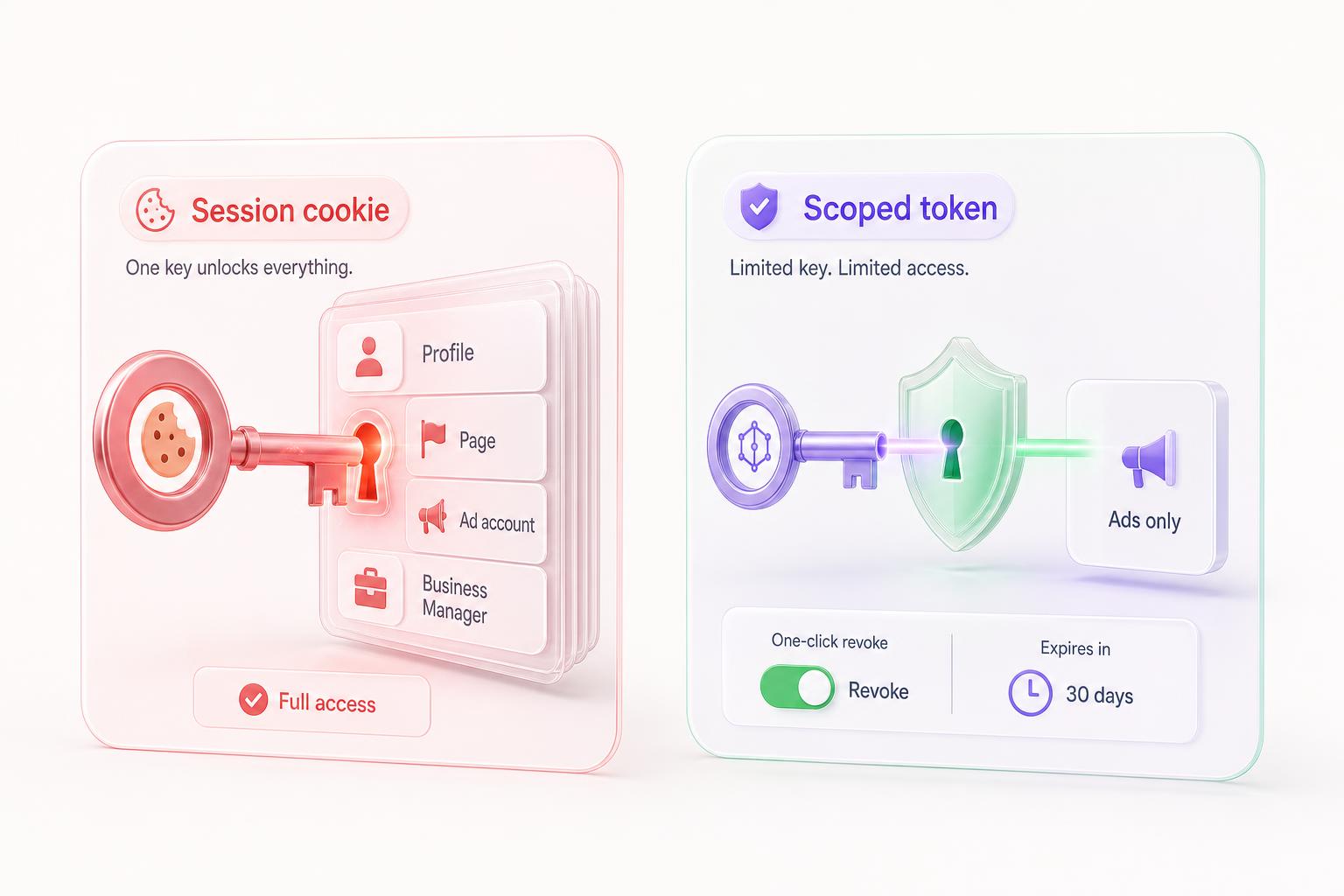
- A session is root access, not ad access. A logged-in browser session can do anything you can do, everywhere you are logged in. Handing that to an agent is handing it your whole web identity, not a neat little “ads only” key. To Meta, a session acting like software is indistinguishable from someone who stole your login.
- Prompt injection turns the open web into the attacker. An agent that reads pages to do its job can be steered by a malicious page into actions you never asked for. Security researchers have shown agentic browsers being hijacked into exfiltrating data. With your live ad-account session in its hands, the same trick can move budgets or launch campaigns as you.
- Agents have a robot cadence. Tireless, regular, instant, no idle browsing or cursor drift. That rhythm, plus spinning up campaigns faster than a person realistically would, is exactly what Meta's behavior detectors look for.
- The page fights back. Facebook ships randomized class names that change on every deploy, so a tool built on clicking specific buttons breaks on a schedule you do not control, usually mid-launch.
And being logged in is no defense. Meta's terms prohibit accessing its products through automated means without permission, and the 2025 update made clear that a real login does not make browser automation allowed. An AI in the driver's seat does not change the rule.
The full detection breakdown, if you want the receipts
We went deep on exactly what Meta's systems read, from the navigator.webdriver flag and TLS fingerprints to portfolio-wide enforcement, the 180-day hard delete, and why appeals usually hit an automated wall, in Why Automating Facebook Ads Gets You Banned. The short version for anyone connecting an AI agent: the browser is the trap, not the automation itself.
Route 2: give Claude tools that call the API (the one that survives)
The safe pattern flips the access model. Claude never touches your password or your browser session. It calls tools. Those tools talk to Meta's official Marketing API using a token you authorized through Facebook's own consent screen, scoped to ad permissions, revocable in one click, server to server. No browser, no cookie, no clicking.
A token is the opposite of a session in every way that matters. It carries only the permissions you granted, it is tied to an app Meta has reviewed, and you can pull it without resetting your password. Lose a token and it expires into uselessness. Lose a session and you can lose the whole account. This is the path Meta builds and actively supports, because it is how Meta wants software to touch ads.
There is one piece a browser bot never has and an agent badly needs: a review step. An autonomous model should propose, not publish. The safe design puts a human approval gate between “Claude assembled a campaign” and “money is now spending,” so a confident wrong answer costs you a glance, not a budget.
Two servers now matter on this route. Meta runs one itself, the official Ads MCP, which covers campaign management. AdMakeAI runs the other, which covers research and creative. They handle different halves of the job, and you can connect Claude to both at once.
The official Meta Ads MCP server (and what it cannot do)
On April 29, 2026, Meta launched Ads AI Connectors: a hosted MCP server at https://mcp.facebook.com/ads plus a command-line tool for the same Marketing API. It is Route 2 built by Meta itself. You add the server to an MCP client, sign in through Facebook's own OAuth screen, pick a Business portfolio, and the client gets 29 Marketing API tools. No developer app, no API keys, no App Review.
The scope decision matters more than it looks. Authorization is per Business portfolio, so the server can reach every ad account inside the Business Manager you select, and the permissions it asks for, ads_management and business_management, are full read-write. The safety mechanism is not a read-only scope. It is that every campaign, ad set, or ad the server creates lands in PAUSED status and stays there until a human activates it. Nothing the model does spends money on its own.
What the 29 tools cover
| Category | What you get |
|---|---|
| Campaigns, ad sets, ads | Create campaigns, ad sets, and ads, update entities, and activate paused ones |
| Insights and reporting | Performance trends, industry benchmarks, auction ranking, opportunity score |
| Catalogs and commerce | Create and inspect catalogs, products, and catalog diagnostics |
| Signals and datasets | Dataset details, quality checks, event stats, error reads |
| Accounts, pages, assets | List the ad accounts, entities, and pages in the portfolio |
| Creative and image generation | None. There are no image or creative generation tools. |
One correction to a claim you will see elsewhere: audiences show up only as insights and reporting. There is no tool that creates or edits custom audiences. Meta is also further along than almost anyone: we keep a verified capability matrix of every other ad platform's server status on our connect hub, and only three of eleven platforms can write at all.
How to connect it: Claude Desktop, Claude Code, and ChatGPT
Claude Desktop and claude.ai: custom connectors live under Settings > Connectors. Click Add custom connector, paste the server URL, and finish the OAuth window when it opens. This works on free plans too, though free accounts get a single custom connector. One catch: Claude connects from Anthropic's cloud, so the server has to be reachable on the public internet, which the hosted Meta server is.
Claude Code: one command from the terminal:
claude mcp add --transport http meta-ads https://mcp.facebook.com/adsThen run /mcp inside Claude Code and select the server to complete the OAuth flow in your browser. Terminal-first teams can also skip MCP and use Meta's Ads CLI (npm install -g @meta/ads-cli) against the same API.
ChatGPT: custom MCP connectors sit behind developer mode on paid plans. Enable it under Settings > Connectors > Advanced settings, then create a connector with the server URL and OAuth as the authentication type. ChatGPT asks you to confirm every call a tool has not marked as read-only, so writes get a confirmation step there as well. The free plan does not support custom connectors.
The is_ads_mcp_enabled wall
The most common failure is not a setup mistake. OAuth succeeds, the tools load, and then every call against your account returns: “Ads MCP is gradually being rolled out. Please check back at a later date to use Ads MCP with this Ad Account.” That is a per-ad-account rollout flag called is_ads_mcp_enabled. Most accounts were gated at launch, two accounts in the same Business Manager can differ, and there is no toggle, appeal path, or support route that flips it. Your options are to wait, or to use a community MCP server that reaches the Marketing API through its own registered Meta app and skips the per-account gate.
The paused-by-default behavior deserves the emphasis Meta gives it. Ask Claude to build a campaign through the official server and it will build the whole thing, budget included, and none of it runs. Activation is its own tool call, which in practice means its own human decision. It is the same propose-then-approve shape this article argues for, enforced at the API level.
A few community servers fill gaps in the official one. Pipeboard's meta-ads-mcp is the usual fallback while the rollout flag blocks you, since it talks to the Marketing API through its own registered app. Adzviser is a read-only reporting MCP that covers Meta alongside Google and other channels. Madgicx exposes its optimization platform over MCP for review rather than writes. None of them generate creative either.
That is the gap to understand before wiring anything up. The official Meta Ads MCP can manage your campaigns, but it cannot make a single image. Neither can any community server. Every one of them assumes the creative already exists and that its job is to organize, attach, and report on it. The creative is the part that decides whether the campaign works, and it is the part AdMakeAI's server covers.
How AdMakeAI connects Claude to Meta ads
AdMakeAI's agent layer is the other half: research and creative, packaged so Claude can use it. It is an API surface, not a browser puppet, and it ships with the review gate built in. Run it alongside the official Meta server in the same client, or on its own.
Connect over MCP
AdMakeAI runs a Model Context Protocol server at https://admakeai.com/api/mcp. Grab an API key from your integrations dashboard, then point Claude Desktop, Claude Code, Cursor, or any MCP client at it. The same tools are available as a plain REST API at /api/v1 with an interactive reference if you would rather call it directly.
{
  "servers": {
    "admakeai": {
      "type": "http",
      "url": "https://admakeai.com/api/mcp",
      "headers": { "X-API-Key": "amai_live_your_key_here" }
    }
  }
}
Drop this into your MCP client config and restart it. Claude will see the AdMakeAI tools the next time it loads.
In Claude Code, the same connection is one command:
claude mcp add --transport http admakeai https://admakeai.com/api/mcp \
  --header "X-API-Key: amai_live_your_key_here"
In Claude Desktop, add it under Settings > Connectors as a custom connector, the same clickpath as the official Meta server above.
What Claude can do once it is connected
- Research competitors: pull a brand's live ads from the Facebook Ad Library, read the copy and creative, and save the winners to a swipe file.
- Generate creative: produce on-brand ad images, batch variations through an ad set, and write matching headlines, primary text, and calls to action.
- Assemble a campaign draft: build the campaign, ad sets, and ads, with copy attached, ready for your review.
- Read and adjust: pull campaign analytics, then pause or resume ads. It builds and turns things off. It does not delete your ads or campaigns.
The Meta connection, and the approval gate
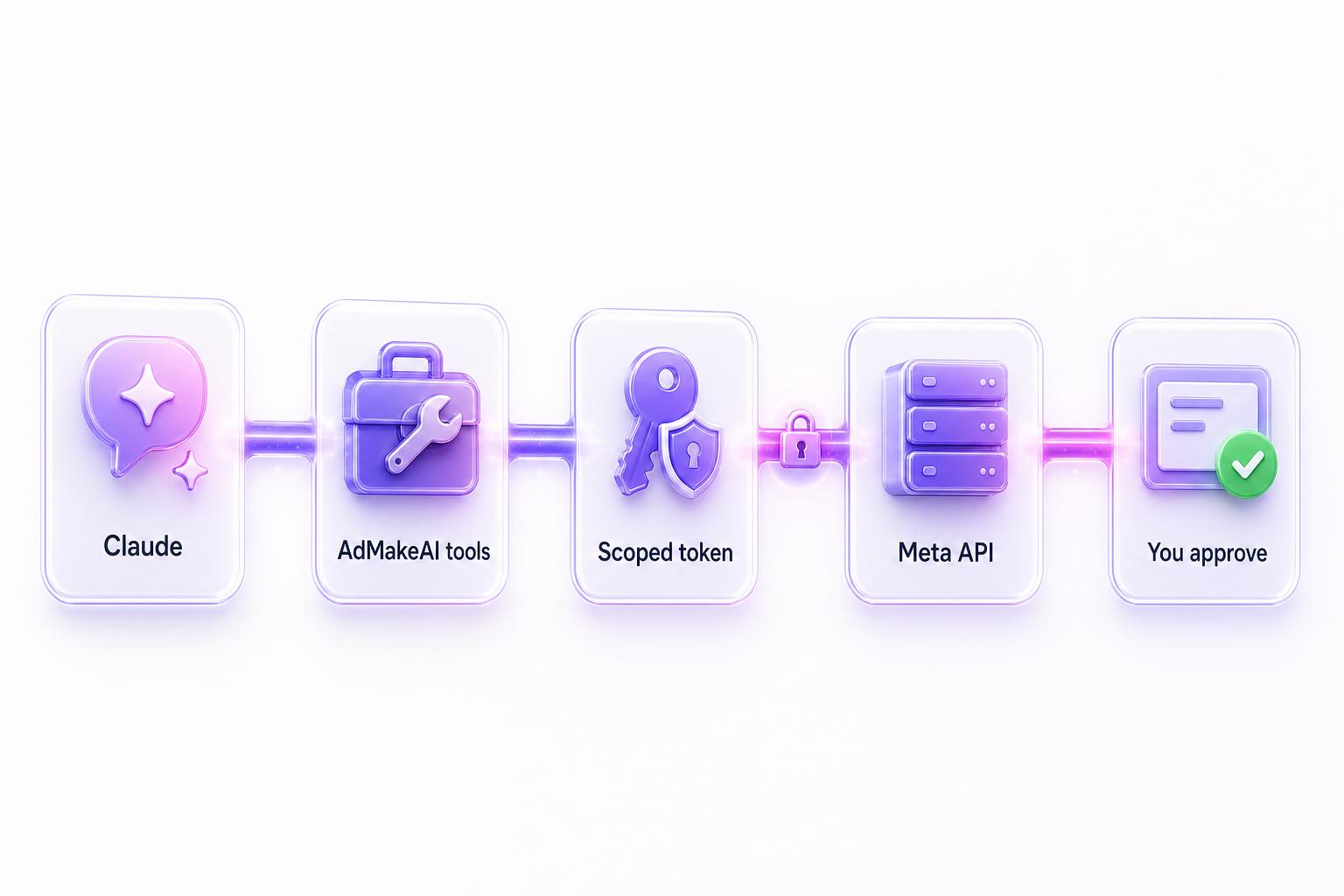
You connect your Meta account once, through OAuth, on the Facebook integration page. AdMakeAI holds a scoped, revocable token, never your password, and publishes server to server through the official Marketing API. No browser automation ever touches your account.
When Claude is ready to publish, it does not publish. It assembles a campaign draft and hands you a review card. You see the campaign structure, the creative, and the copy before a cent moves. Nothing goes live and nothing spends until you confirm. That guardrail is the whole point of doing this over an API instead of a browser: the agent does the grind, you keep the final click.
Research, creative generation, ad copy, and campaign drafting are available to subscribers today. Publishing goes server to server through the official Marketing API from your connected account, and every push waits for your confirmation first.
Prefer not to set up your own client? Agent Flow is the same agent in a chat window on the site, with the same tools and the same review step. The MCP server is for when you want to drive it from your own Claude instead. There is also a published agent skill that teaches Claude which tool to reach for from plain requests like “list my campaigns” or “draft three variations of this ad.”
Point your AI assistant at AdMakeAI
Connect over MCP and let Claude research competitor ads, generate on-brand creative, and draft full campaigns through the official Meta API. You approve every push. Start with free credits, no credit card.
30 free credits • No credit card required
Before you connect any AI agent to your ad account
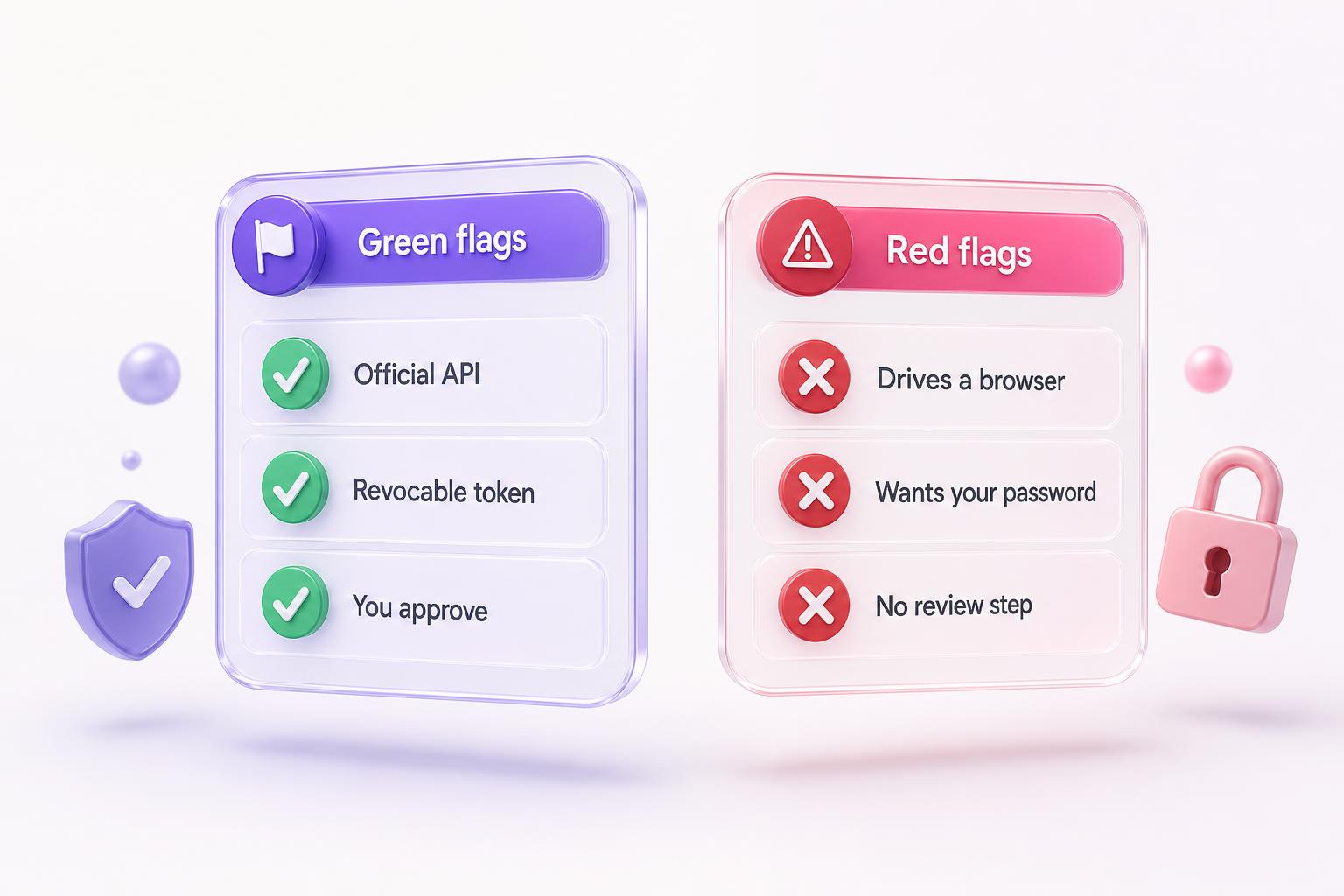
This checklist applies to any tool that claims to connect an AI assistant to Meta ads, not just this one. Run it before you authorize anything.
Green flags
- Talks to Meta's official Marketing API
- Holds a scoped token you authorized, not your password
- You can revoke access in one click, no password reset
- A human approval step sits before any spend
- It can pause and resume, not delete
Red flags
- Logs into your Facebook session in a browser
- Asks for your password or a session cookie
- Talks about “undetectable” or antidetect browsers
- Acts on the account with no review or confirmation
- Promises fully autonomous spending out of the box
Does the model matter, Claude versus the rest?
For connecting to Meta ads, the connection method decides whether you keep your account. The model decides how good the thinking and the copy are. Those are two different questions, and people conflate them.
Claude is a strong fit for the reasoning glue: read fifty competitor ads, find the angle that repeats, write a brief, and assemble a structured campaign without losing the thread across a dozen steps. That is why connecting your own Claude over MCP is a real workflow, not a gimmick. Inside Agent Flow on the site, a capable model runs the same tools for you out of the box. Either way, the tools and the guardrails are identical, and the guardrails are the part that protects the account.
Meta's official MCP server made this distinction sharper, not weaker. It is model-agnostic and it rests on the same design: official API access with a paused-by-default write path. The baseline for any serious setup is now API tools plus human activation, whichever assistant sits on top.
The safe way to connect Claude to Meta ads
Give it API tools, not a browser. Connect the official Meta Ads MCP for campaign management if your account has it enabled, add AdMakeAI for research and creative, and keep a human approval step before anything spends. That is the difference between an agent that scales your ad production and one that gets your account disabled.
From brainstorm to Meta, with you in the loop
Research competitor ads, generate on-brand creative, and draft campaigns that publish through the official Meta API. Drive it from Claude over MCP or from Agent Flow in your browser. 30 free credits, no credit card.
30 free credits • No credit card required
Related Articles & Tools
Try These Tools
Frequently Asked Questions
Can Claude connect to Meta ads directly? Is there an official Meta MCP?
Yes, since April 29, 2026. Meta runs an official Ads MCP server at mcp.facebook.com/ads that you add to Claude as a custom connector and authorize with OAuth, no developer app required. It covers campaign management for the ad accounts behind your Meta Ads Manager or Meta Business Suite: creating and updating campaigns, insights, catalogs, and datasets, with every write landing paused until you activate it. Two limits to know: a per-account rollout flag (is_ads_mcp_enabled) still blocks many accounts, and the server has no creative generation tools at all. For images and variations you need a creative layer like AdMakeAI in the same chat.
Is it against Meta's rules to use an AI agent for ads?
Using the official Marketing API through proper authorization is exactly what Meta supports, and its own Ads MCP server is the proof: a first-party product built for AI agents. What violates the rules is automated access through a browser without permission, which Meta's 2025 terms call out specifically, even when you are logged in. The method is what matters, not whether an AI is involved. See our full breakdown of what gets accounts banned.
Will Claude spend my budget without asking?
No. With AdMakeAI, the agent drafts and organizes the campaign, then hands you a review card. Nothing publishes and nothing spends until you confirm. The approval step is built in precisely because an autonomous agent should propose, not publish.
Do I have to give Claude my Facebook password?
No, and you should never have to. You authorize Meta once through its own OAuth screen, which grants a scoped, revocable token. AdMakeAI holds that token, not your password, and publishes server to server. You can revoke access in one click without resetting anything.
Which AI assistants can connect, or is it Claude only?
Anything that speaks MCP. Claude Desktop and claude.ai take remote servers as custom connectors under Settings > Connectors, Claude Code adds them with claude mcp add, Cursor has its own MCP config, and ChatGPT supports custom connectors behind developer mode on paid plans. Both the official Meta server and AdMakeAI's server work in all of them. If you do not want to wire up a client at all, Agent Flow runs the same AdMakeAI tools in a chat window on the site.
What is the difference between the official Meta Ads MCP and AdMake AI?
Scope. The official server manages what already exists: campaigns, budgets, insights, catalogs. AdMakeAI's server makes the things a campaign needs before it exists: competitor research from the ad library, on-brand ad images and batch variations, ad copy, and campaign drafts, with the push going through the official Marketing API after your approval. They connect the same way and can sit side by side in one client, so the practical setup is Claude with both: the official server for management, AdMakeAI for creative.
Why do I get an “Ads MCP is gradually being rolled out” error?
Your ad account has not been enabled yet. The official server is gated per ad account by a rollout flag called is_ads_mcp_enabled, and accounts without the flag get that exact message on every tool call even though OAuth succeeded. There is no setting that turns it on and no documented appeal. You can wait for the rollout to reach you, or use a community server like Pipeboard's meta-ads-mcp, which reaches the Marketing API through its own registered app and is not subject to the per-account flag.
What can the agent not do?
By design, it does not delete ads, ad sets, or campaigns, and it does not publish or spend without your confirmation. It can pause and resume so you can turn off underperformers, but destructive and irreversible actions stay in your hands.
Ready to create winning ads?
Research what competitors are running, then generate your own on-brand ads in minutes.