Facebook Profile Picture Size in 2026: The Spec, The Hidden Crop, and Why Yours Looks Blurry
Facebook profile pictures upload at 320x320 but display differently on desktop, mobile, and as comment thumbnails. Here's the actual 2026 spec, the 40-pixel crop nobody tells you about, and how to stop the algorithm from sharpening it into mush.
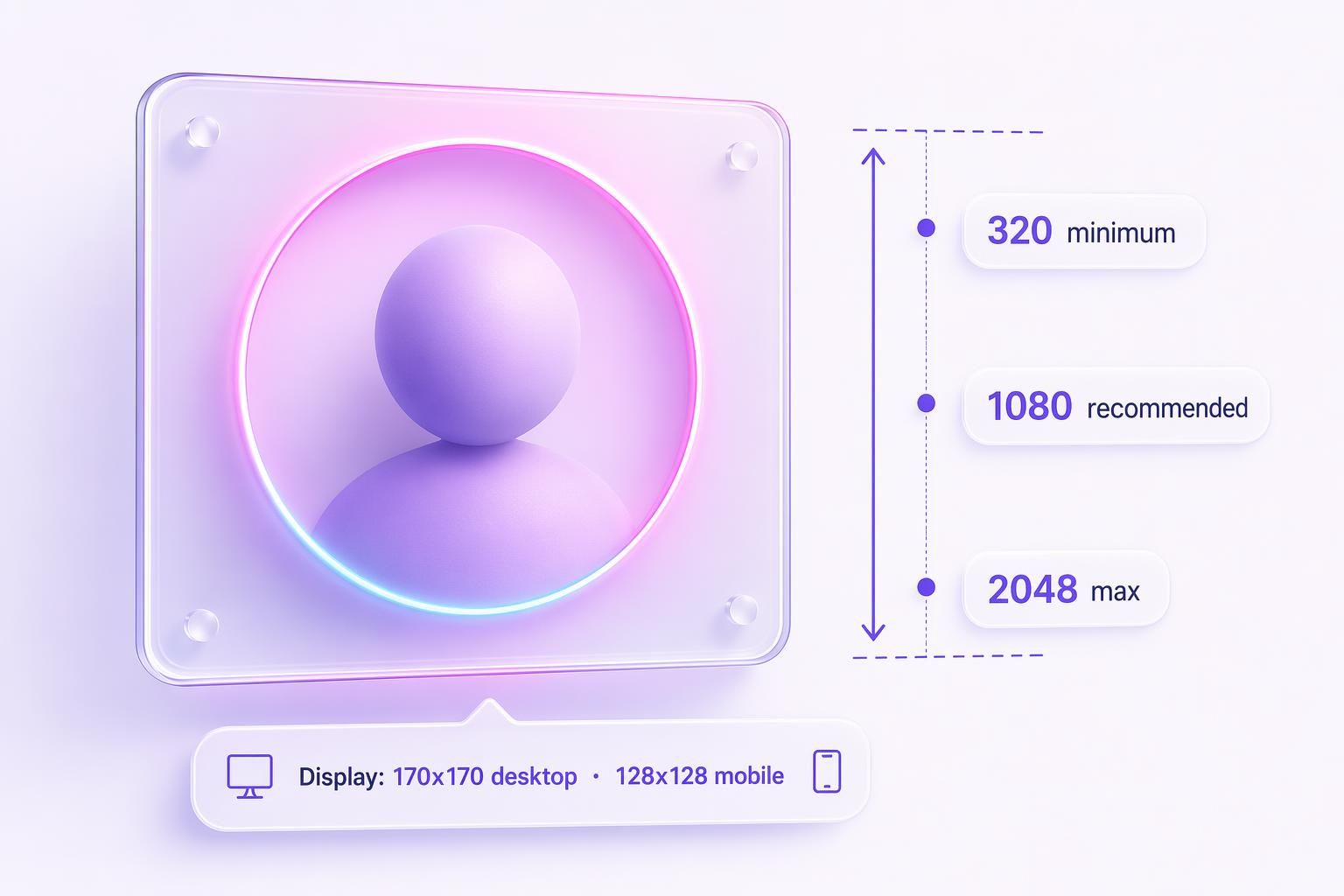
Your Facebook logo looks blurry because Meta has not cleanly published the spec since 2020 and most guides recommend 320x320, which is wrong for retina screens. Here is what to actually upload.
The bottom line: upload a 1080x1080 PNG (or JPG quality 95 for a photo) in sRGB color profile, under 1 MB, with the important part of the design inside an 800x800 center circle. That single rule covers every Facebook profile-picture render from the 850x850 expanded gallery view down to the 32x32 notification thumbnail.
1. The Spec Table You Came Here For
Every place your Facebook profile picture and cover photo render in 2026:
| Where it shows up | Pixel size | Notes |
|---|---|---|
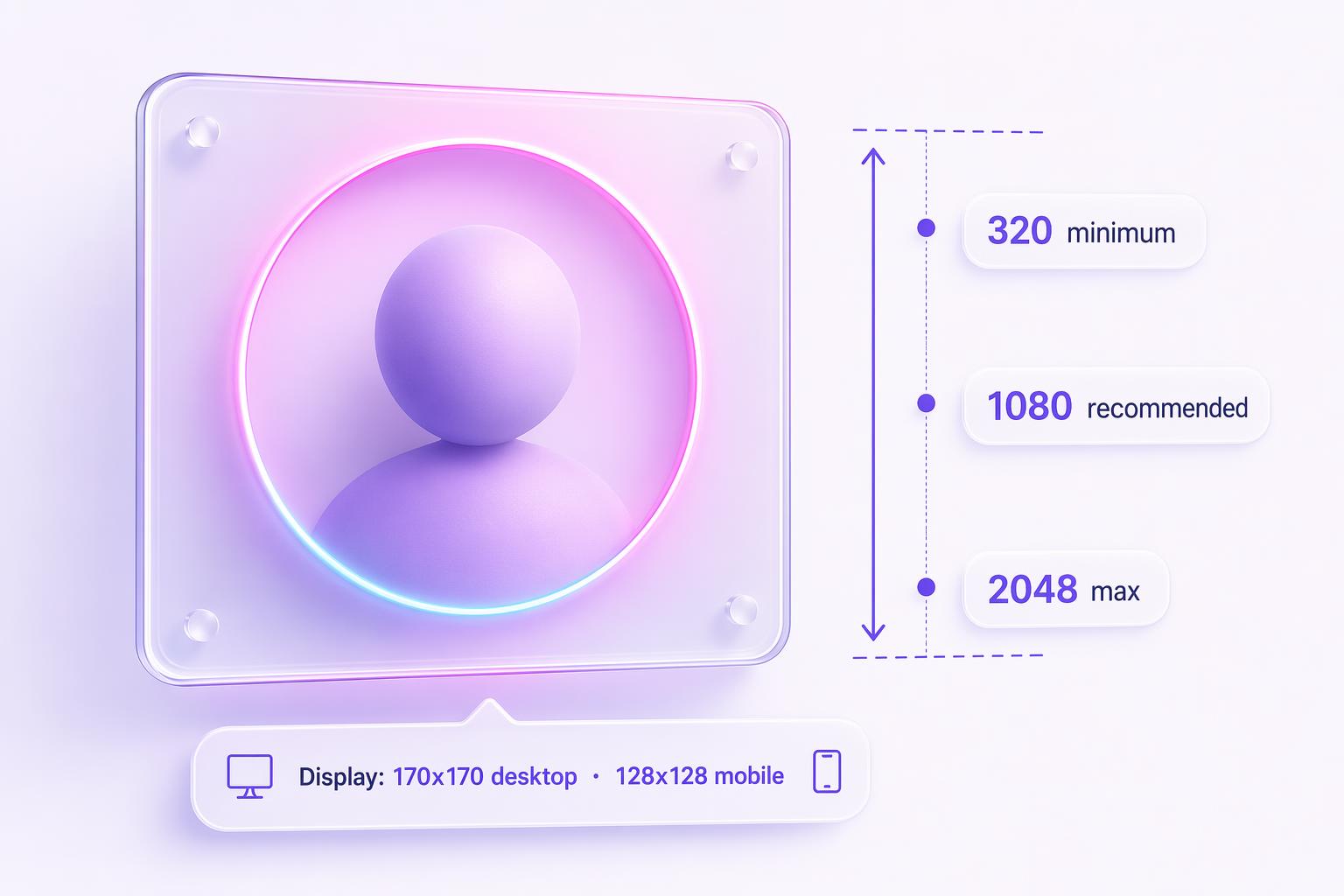
| Profile picture upload (recommended) | 1080 x 1080 | Square, 1:1. PNG for logos, JPG quality 95 for photos. |
| Profile picture upload (minimum) | 320 x 320 | Accepts down to 180x180, degrades visibly. |
| Profile picture upload (maximum) | 2048 x 2048 | Meta’s hard cap. Files over 5 MB get rejected. |
| Expanded gallery view | 850 x 850 | When someone clicks your profile pic to enlarge it. |
| Mobile timeline (retina) | 196 x 196 | On modern iPhones and high-DPI Android. |
| Desktop timeline | 170 x 170 | Some layouts render at 176x176. |
| Mobile timeline (standard) | 128 x 128 | Older phones, lower pixel density. |
| Search result thumbnail | 50 x 50 | When users type your brand name into FB search. |
| Comments / posts in feed | 40 x 40 | The size your logo is judged at most often. |
| Notification thumbnail | 32 x 32 | Where it looks worst. Design for this size. |
| Business Suite Page logo slot | 268-400 | Upload the same 1080x1080 file and Meta fits it. |
| Cover photo (desktop) | 820 x 312 | 2.63:1 ratio. Upload at 820x462 to handle both. |
| Cover photo (mobile) | 640 x 360 | 1.78:1 ratio. Loses ~90 px per side vs desktop. |
| Cover photo safe zone | 640 x 312 | Center band visible on every device. |
| Group cover photo | 1640 x 856 | Different from page covers. 1.91:1. |
| Event cover photo | 1920 x 1005 | Cannot be edited after the event publishes. |
Why 1080? Old guides recommend 320x320, but retina displays double or triple the pixel density. Facebook renders a 170x170 logical avatar as 340-510 device pixels. Anything smaller than 1080 gets upscaled and softened. Transparent PNG works cleanly inside the circular crop on Business Pages.
2. Why Your Logo Looks Bad and How to Fix It
One landmine first: the “Upload Photos in HD” toggle every fix-it article tells you to check was removed from the Pages app in a 2024 redesign. Guides still recommending it are republishing 2021 advice as “2026.” For personal profiles it lives under Settings and Privacy then Settings then Media as “Upload photos in highest available quality.” Turn it on. For Pages, upload at proper resolution instead.
The circle crop eats 21.5% of your design
Facebook renders your square through an inscribed circle, which means 21.5% of your upload (the corners) is invisible in feed. If a tagline touches an edge, it gets clipped every render.
The 80% center rule
Keep the core mark of your logo inside an 800x800 centered circle within your 1080x1080 square. That gives you a safety margin against both the circular crop and the slight-zoom flow Facebook applies when you use the in-app repositioning tool.
The 5 real causes of blur
The two-pass compression problem
Facebook compresses your upload once, then re-compresses for every size variant. A 2.7 MB original ends up around 74 KB.
Fix: upload at 1080x1080 so Facebook has enough source pixels to downsample cleanly into every variant.
The 320 trap
Upload at 320x320 and Facebook has to upscale before generating the retina display variant at 340x340. Upscaling a tiny source adds soft edges that the compression pass then sharpens algorithmically, creating ringing around logos.
Fix: ignore every guide that recommends 320. Upload at 1080 minimum.
Wrong file format
JPG creates halos around hard edges (the ringing artifact on logos). PNG creates color banding on photographs. The single most common mistake on logo uploads.
Fix: PNG for logos, text, and vector marks. JPG quality 95 for photos of humans.
Wrong color profile
Photoshop, Lightroom, and Affinity all let you export in Adobe RGB or ProPhoto RGB. Facebook only honors sRGB. Adobe RGB gets stripped on upload, washing out colors. Red and magenta brands suffer most.
Fix: export with the sRGB color profile. Always.
Pre-compression
Run your file through “Save for Web” or TinyPNG before upload and Facebook compresses an already-compressed file again. The double pass creates visible artifacts you would not get from a full-quality original.
Fix: export at full quality, keep file size under 1 MB, let Facebook compress once.
3. Cover Photo Spec (Desktop and Mobile Crop Differently)
Desktop covers render at 820x312 (2.63:1). Mobile renders at 640x360 (1.78:1). Upload at 820x462 and keep critical content inside the center 640x312 band so both crops survive.
75% of your profile picture overlaps the cover on mobile, ~25% on desktop in the bottom-left. Put a tagline there and your own avatar covers it on every render. Bonus: cover photos under 100 KB skip Meta’s second compression pass, so design accordingly when your cover is a gradient plus logo rather than a photo.
4. Group and Event Covers: Reusing Your Page Cover Crops 60% Off
| Surface | Recommended upload | Safe zone |
|---|---|---|
| Page cover | 820 x 462 | 640 x 312 center |
| Group cover | 1640 x 856 | 1640 x 662 center |
| Event cover | 1920 x 1005 | Cannot be edited post-publish |
5. The Canva Trap (And Other Tool Gotchas)
Canva’s download preview shows what you downloaded, not what Facebook will render after compression (see r/canva on this exact problem).
- Figma: export at 2x scale to get 1080x1080 from a 540x540 frame. PNG, not JPG.
- Squoosh.app: free Google tool for previewing compression levels. Useful for landing a cover photo under 100 KB.
6. The Checklist
Source file at 1080x1080
1080 for the profile picture, 820x462 for the page cover, 1640x856 for a group cover, 1920x1005 for an event cover. Square crop the profile picture before upload, do not let Facebook do it.
Export as PNG (logo) or JPG quality 95 (photo)
PNG preserves hard edges and text. JPG quality 95 is the sweet spot for human faces. Anything below quality 90 ships visible JPG artifacts after Meta’s second compression pass.
Use sRGB color profile
Adobe RGB and ProPhoto RGB get stripped on upload, washing out colors. In Photoshop: Edit > Convert to Profile > sRGB IEC61966-2.1. In Affinity: Document > Convert.
Keep file size under 1 MB (under 100 KB for covers)
Cover photos under 100 KB skip Meta’s aggressive second compression pass. Profile pictures under 1 MB compress cleanly without ringing.
Pre-crop. Do not use the in-app crop tool
Facebook’s drag-to-reposition flow has a hard minimum zoom that crops in further than you expect. Upload the exact 1:1 square you want shown.
If it looks blurry, re-upload (do not edit in place)
Editing the existing photo can keep the cached variants stale. Deleting and re-uploading forces Meta’s CDN to regenerate every size variant from scratch.
Test in three contexts
Your own profile (170x170 desktop), a comment you have posted (40x40), and a Facebook search result for your page name (50x50). If the logo reads at all three sizes, you are done.
Heads up for ad accounts: changing the page profile picture mid-campaign can flag active ads into manual review (see this r/FacebookAds discussion). Audit the avatar once, then leave it alone during a live campaign.
7. Frequently Asked Questions
Once your page is sharp, the ads driving traffic to it are the next bottleneck.
AdMakeAI generates Facebook ads in about 30 seconds at the right spec for every placement.
Free credits, no card, generate your first ad in under a minute.
Related Resources
Facebook Ad Image Sizes in 2026
The full 14-placement spec sheet for paid ads, once your page looks sharp.
Facebook Video Ad Sizes in 2026
Specs for every Facebook video placement.
Instagram Story Dimensions in 2026
The 1080x1920 spec plus every safe zone that actually matters.
Sources
Specs cross-checked against Hootsuite, Sprout Social, SocialPilot, Metricool, SocialSizes, Snappa, How-To Geek, Social Previewing, LouiseM, and Buffer.
Make your next ad from what already runs
Research what competitors are running, then generate your own on-brand ads in minutes.