How to Download Videos From the Meta Ad Library in 2026 (Free Methods That Work)
The Meta Ad Library has no download button. Here are three free ways to save competitor video ads in 2026: browser DevTools, a free extension, and screen recording, for your swipe file.
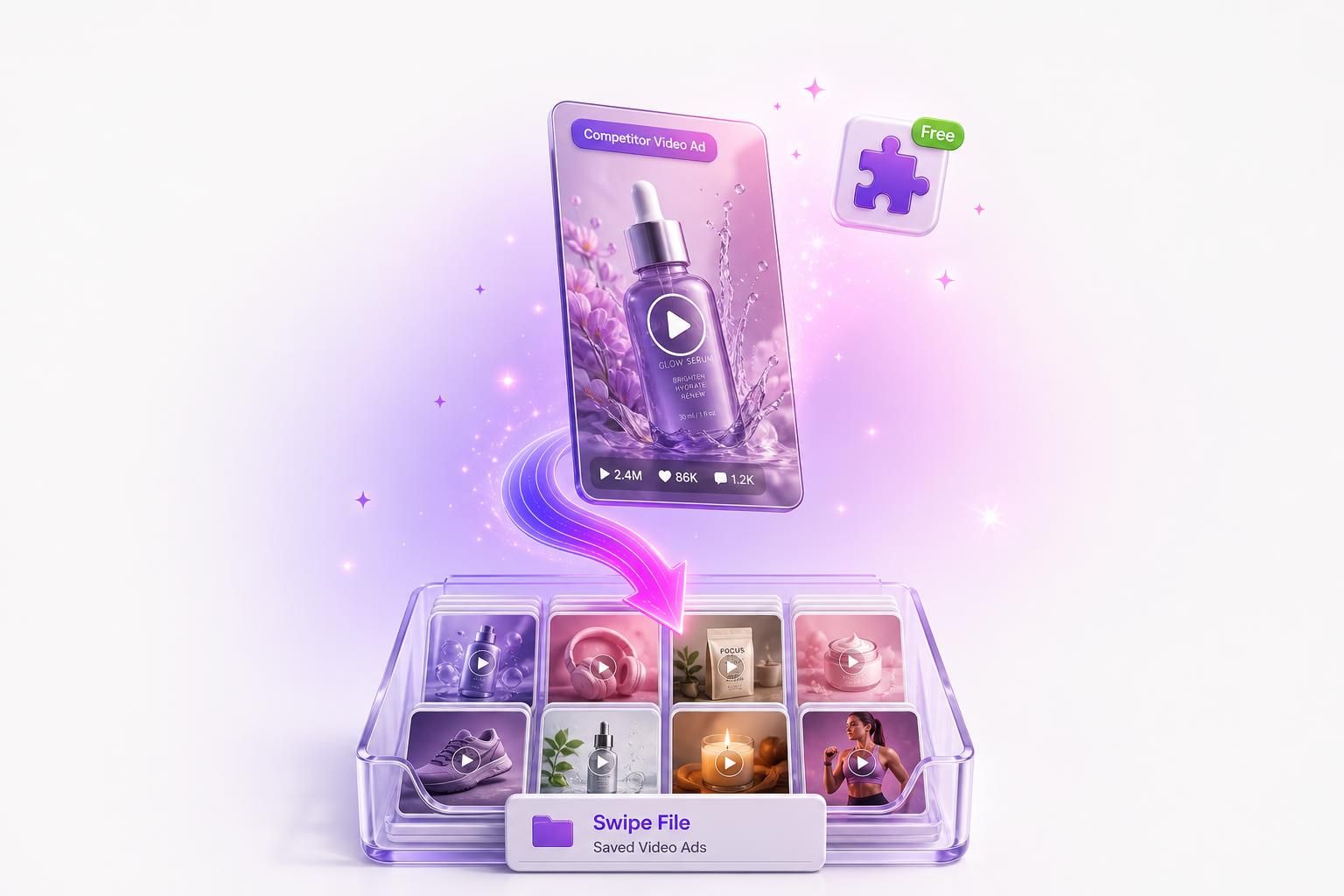
You found a competitor video ad in the Meta Ad Library that is clearly working, you want to study its hook frame by frame, and you go looking for the download button. There is not one. Meta never built a download button.
Here are three free ways that work in 2026: a free one-click extension, browser DevTools for the exact source file, and screen recording when you will not install anything. We also cover the legal line you should not cross.
Fastest path: the free AdMakeAI extension adds a download button right onto Ad Library video ads. Use DevTools when you want the exact source file, and screen recording when you do not want to install anything. For a whole swipe file, our Ad Library research tool pulls many ads at once. Saving a single public ad for research is normal and low-risk. Mass-scraping from a logged-in account is where the real Terms problems start.
Why there is no download button (and never will be)
The Meta Ad Library at facebook.com/ads/library is a transparency and compliance product, not a creative tool. It exists because Meta is legally required to show who is running ads, so the feature set is built around viewing, not taking. The 2026 interface lets you see every active ad, the platform placements (Facebook, Instagram, Messenger, Threads), the date an ad started running, and impression-range buckets that Meta widened in January 2026. What it still does not let you do is save, download, or batch-export a single commercial ad. The only export Meta offers is a CSV report, and that is reserved for political and social issue ads.
That leaves a gap. Marketers open the Ad Library to pull a competitor's video ad into a private swipe file so they can study the first one to three seconds, the format, the offer, and the exact CTA language. The three methods below close that gap.
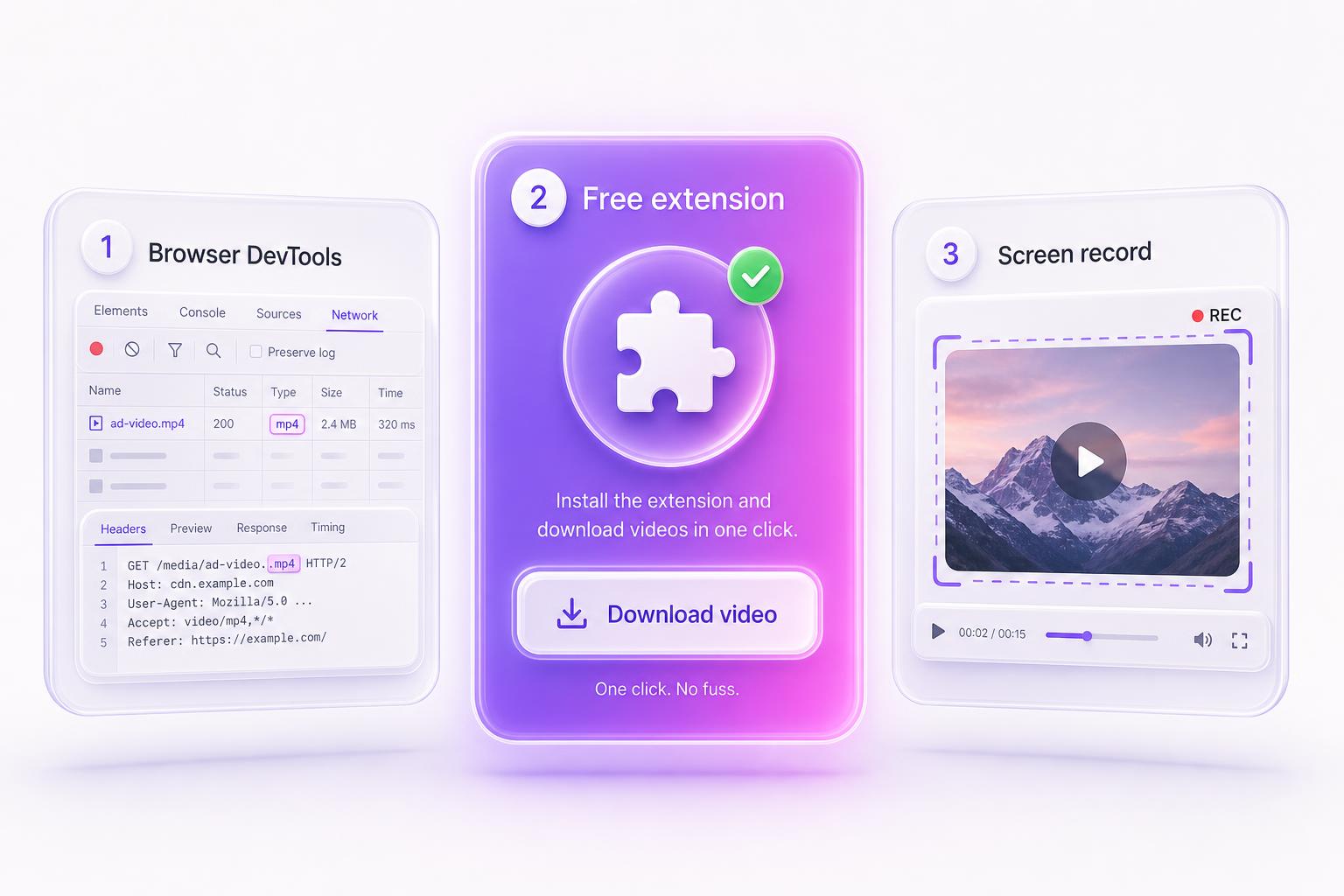
Method A: A free one-click extension
For most marketers this is the easiest path, so it goes first. We built a free Chrome extension for exactly this: the AdMakeAI Ad Library Downloader. It adds a download button directly onto video ads inside the Meta Ad Library, so you click once and get the file. No Network tab, no copy-pasting signed URLs before they expire.
AdMakeAI Ad Library Downloader
Free, one click, adds a download button right onto Meta Ad Library video ads. No DevTools, no copy-pasting URLs.
It only runs on the Ad Library pages and never touches your ad-account or Business Manager session.
Get the Free Chrome ExtensionOne honest caveat about the broader category, and it is not about ours. Any ad-downloader extension runs in the same browser where you are logged into Business Manager and your live ad accounts, so the category is worth a little scrutiny. Chrome regularly removes extensions caught abusing the broad permissions they request, and a downloader sits in exactly the permission bucket worth checking. Ours is scoped to the Ad Library path only and does not request access to your ad-account session, which is why we can say that plainly. If you install a different one, the same checks below apply.
How to vet any downloader extension before you install it:
- Prefer a known, named publisher over the first search result.
- Check it has a meaningful number of installs, a recent update, and the fewest permissions it can get away with.
- If you are unsure, run it in a separate Chrome profile that is never logged into Business Manager. Then there is no ad-account session for it to reach.
Method B: Browser DevTools, the Network tab
This is the manual way when you want the raw source file at full quality with no install. It works in Chrome and Edge and is verified working in 2026. It looks technical the first time and takes about 30 to 60 seconds per ad once you have done it a couple of times.
- On facebook.com/ads/library, open the advertiser's results and find the video ad you want. You can usually play it right in the results grid, or click the ad's drop-down (often labeled "See ad details" or "See summary details", Meta renames it) to open its full detail view.
- Open DevTools. F12 on Windows, or Cmd + Option + I on a Mac.
- Go to the Network tab.
- Filter the requests by typing mp4 in the filter box, or click the Media request type.
- Play the video so the request actually fires.
- Find the largest request whose URL starts with https://video.xx.fbcdn.net/ and ends in .mp4.
- Right-click that request, choose Copy then Copy link address, paste the URL into a new tab, and use Save video as. If the tab just plays the video with no save option, right-click the video itself. If that is greyed out, the response is a range or partial download, in which case use the Elements method below or screen record it.
If the Network tab is too noisy, there is a fallback. Open the Elements tab, press Cmd + F (or Ctrl + F), search for <video, and copy the src attribute off the element. Note that this src is often a blob: URL (see the gotcha below), which you cannot open or save. When that happens, fall back to the Network tab request or screen recording.
The four gotchas that trip everyone up:
- HLS streams instead of one MP4. Some ads stream as HLS, which is an .m3u8 playlist plus a pile of .ts segments, not a single downloadable file. Grab the .m3u8 URL and try to stitch it back together with ffmpeg:ffmpeg -i "URL.m3u8" -c copy output.mp4This path is best-effort and the flakiest of the bunch. The .m3u8 carries the same short-lived signed token as the MP4, so run the command immediately. If ffmpeg returns a wall of 403s, the playlist or per-segment tokens have expired or need the right headers. Add a Referer and User-Agent with -headers, or just screen record the ad instead (Method C).
- blob: URLs. Some players hand you a temporary blob: URL that points to memory, not a real file. You cannot open or save those. Use the Elements method, or just screen record it (Method C).
- The links expire fast. Every fbcdn URL carries a signed token that expires within hours. Download immediately. Come back tomorrow and the same link returns a 403.
- Carousels are multiple videos. A carousel ad has one <video> element per card, so you have to pull each one separately.
Method C: Screen recording (the zero-risk fallback)
When the link is a blob:, when you are on mobile, or when you just do not want to install anything, record your screen. It is the legally safest option because you are recording your own screen showing public content, not pulling a file off Meta's servers. The only cost is quality: a screen recording is lossy compared to the source MP4, so play the ad at the largest size your screen allows before you start.
Mac
Cmd + Shift + 5 opens the built-in recorder. Pick a region tight around the ad and hit record.
Windows
Win + G for the Xbox Game Bar, or the Snipping Tool's record mode on Windows 11.
iOS and Android
There is no native mobile download, but both have a built-in screen recorder in the control center or quick settings.
OBS, for clean output
Free, cross-platform, and lets you record a fixed window at a set resolution if you want consistent swipe-file clips.
Paste-the-ad-URL third-party sites can fetch the media server-side too, but you are handing the link to an unknown server, and they break whenever Meta shifts its markup. Our extension does the same job without that trade.
One ad is easy. A real swipe file is hours.
Saving one video by hand is fine. Building a swipe file of 100+ ads across ten competitors means those signed fbcdn links go stale before you finish, and you are back re-grabbing dead links. AdMakeAI's Facebook Ad Library research tool lets you search a brand or a whole niche, pull live competitor ads, and track advertisers over time, no DevTools required.
Is downloading Ad Library videos legal?
Two separate things are at play: Meta's Terms of Service, and copyright.
On the Terms side, Meta prohibits collecting data by "automated means" and binds account holders to that rule. But the case law has not gone Meta's way on public data. In Meta v. Bright Data (N.D. Cal., Judge Chen, January 23, 2024), the court granted Bright Data summary judgment on the contract claims, holding that Meta's Terms do not bar logged-off scraping of public data, and Meta did not appeal. The ruling turned on Bright Data not being logged in when it collected the data, so it is not a blanket green light. The earlier hiQ v. LinkedIn case landed similarly on access: scraping public data is not "unauthorized access" under the CFAA, though that CFAA win was separate from hiQ's later breach-of-contract claims. The practical line that follows is simple. Manually saving a single public ad you are already looking at is normal research and low-risk. Mass, automated scraping from a logged-in account is the part that actually steps on the Terms.
Generally fine for private research:
Saving a competitor's ad to analyze its hook, format, and offer in a private swipe file. That use leans on fair use (17 USC 107): transformative, internal, not republished.
Not OK, full stop:
- Re-uploading a competitor's creative into your own ads.
- Republishing or redistributing their videos anywhere.
- Training a model on their creative without a license.
We went deeper on the Terms, the case law, and the gray areas in a dedicated post. If you are about to scrape at any real volume, read it first: the Meta Ad Library scraping Terms of Service breakdown. The companion piece on why every Ad Library scraper eventually breaks is worth a skim too, especially if a paid spy tool is on your shopping list.
Turning a swipe file into actual ads
A swipe file is research, and you still have to make the ads. A folder of 200 competitor MP4s does nothing for your account until those hooks turn into creative pointed at your own product.
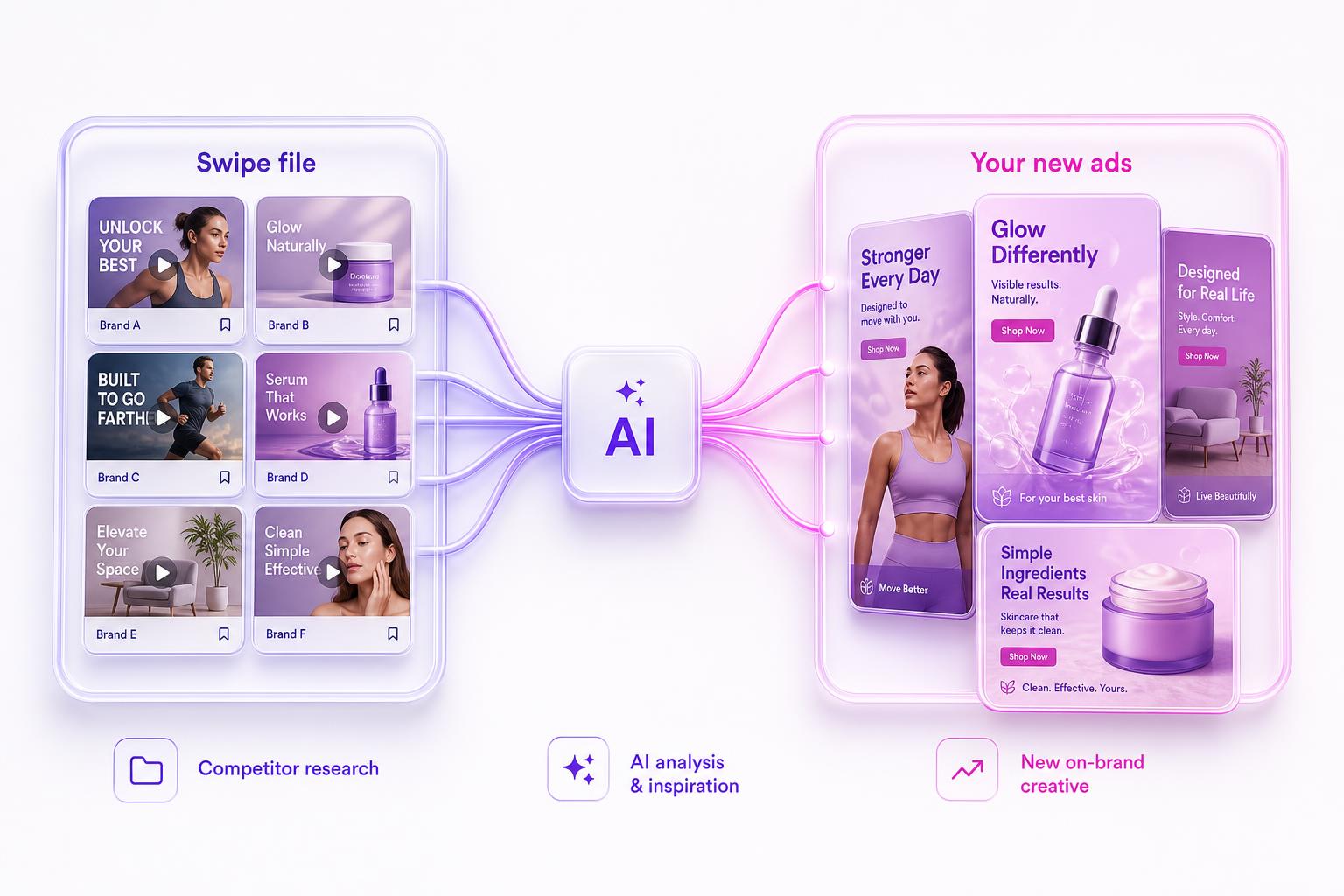
That is the loop AdMakeAI is built for. You search a brand or a niche in the Facebook Ad Library tool, pull the live ads, and track advertisers over time so you see which creatives a competitor keeps running (longevity is the single best free signal that an ad is profitable). Then you take the winning hook and rebuild it for yourself: spin up new creative in the AI ad generator, draft a UGC-style video ad, and write the copy with the ad copy generator. You are copying the psychology, not the pixels, which is the only kind of competitor research that is both legal and useful.
Frequently Asked Questions
Does the Meta Ad Library have a download button?
No. The Ad Library is a transparency tool, so there is no download, save, or export for commercial ads. The only built-in export is a CSV report, and that is limited to political and social issue ads. To save a video you use browser DevTools, a free extension, or a screen recorder.
Why does my downloaded video link suddenly return a 403 error?
Every video.xx.fbcdn.net URL carries a signed token with an expiry timestamp baked into the link. Those tokens expire within hours, so a link you grabbed yesterday is dead today. Download the file immediately after you copy the URL, do not save the URL for later.
The video URL is a blob: link. How do I download it?
You cannot save a blob: URL directly, because it points to data in your browser's memory rather than a real file. Try the Elements-tab method to find a real source first. If that fails, screen record the ad instead, which always works.
Can I download Ad Library videos on my phone?
There is no native mobile download, and DevTools is not practical on a phone. The reliable mobile option is your device's built-in screen recorder (in the iOS Control Center or Android quick settings). Play the ad full size, record, then trim the clip.
Are downloader extensions safe to use?
Use a known, trusted one and you are fine. The risk is that downloader extensions request broad permissions on the same browser where you are logged into Business Manager, and Chrome regularly removes extensions caught abusing the permissions they request. Check installs, recent updates, and minimal permissions, and consider a separate Chrome profile that is never logged into your ad accounts. The AdMakeAI extension is scoped to the Ad Library pages only and never touches your ad-account session.
Is it legal to download a competitor's ad?
Manually saving one public ad for private research is normal and low-risk, and courts in Meta v. Bright Data and hiQ v. LinkedIn have held that accessing public data is not unauthorized. What crosses the line is re-uploading, republishing, or training a model on someone else's creative without a license. Copy the hook and the structure, never the file.
Stop Downloading Ads One at a Time
Search a competitor or a whole niche, pull their live ads, and track them over time, then turn the winning hooks into your own creative. AdMakeAI handles both halves: the research and the ads.
No credit card needed to start
Related Resources
Is Scraping the Meta Ad Library Against the Terms?
The Terms, the case law, and where the real risk actually sits
Why Every Ad Library Scraper Breaks
The free technique that beats $149/month spy tools
Facebook Ad Library Tool
Search a brand or a niche and pull live competitor ads in seconds
Create an Ad
Turn a winning hook into your own on-brand creative with AI
Make your next ad from what already runs
Research what competitors are running, then generate your own on-brand ads in minutes.